Featured
San Andreas / Cars / GTA V Cars
Albany Cavalcade I
- M4k3 | uploaded by M4k3
- m4k3place.blogspot.com
- 07/03/2017
- 10525 Downloads
Ratings:
Please sign in first.
Favorites:
Download
1.91Mb
1.91Mb
Videos

You need to be signed in to add videos to this mod.
Description
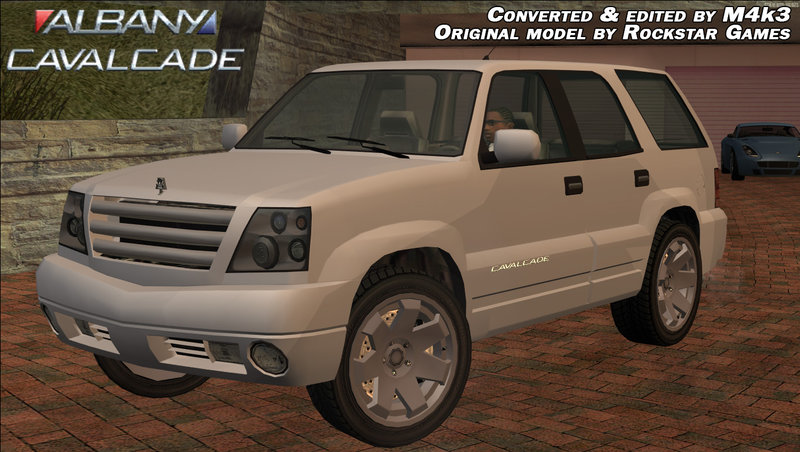
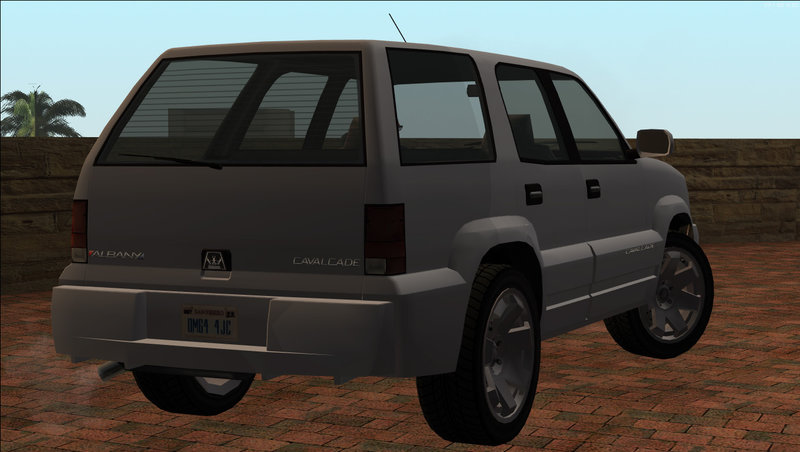
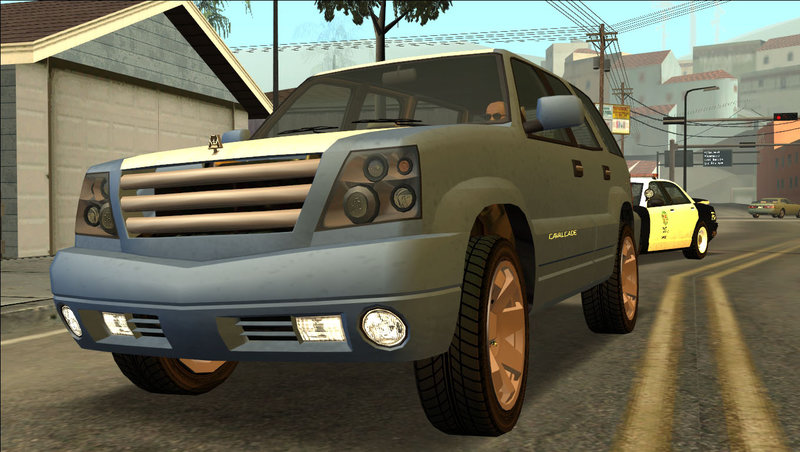
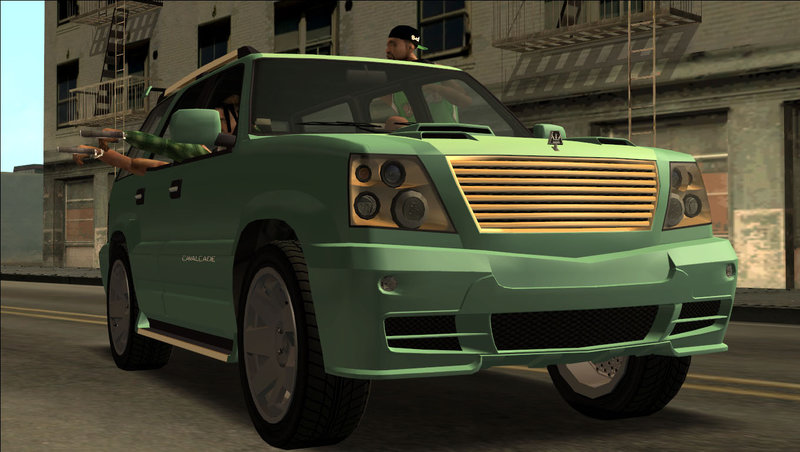
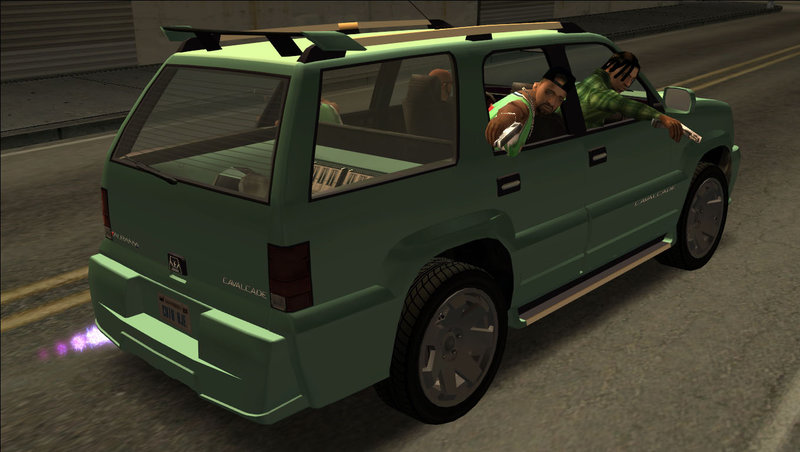
Albany Cavalcade I from Grand Theft Auto V
Converted to GTA SA and edited by M4k3
It's an Add-On vehicle. It means it doesn't replace anything by default.
If you're a SAMP player you should replace Landstalker.
Features:
Converted to GTA SA and edited by M4k3
It's an Add-On vehicle. It means it doesn't replace anything by default.
If you're a SAMP player you should replace Landstalker.
Features:
- Optimized model and textures.
- Works in SAMP.
- GTA SA numberplates.
- Has visible petrolcap.
- Custom collision.
- Flat shadow.
- Custom handling.
- Damaged parts with GTA V scratches.
- 3 car colors: 1 - car paint, 2 - not used, 3 - chrome parts, 4 - rims.
- Adapted to M4k3's New Car Animations mod.
- Can be tuned in TransFender.
- Cavalcade tuning parts from GTA V are included (optional) and can be installed in TransFender.
- Works with and without ImVehFt (IVF features: dirt, indicators, reverse lights, fog lights, brake hubs, steering wheel).
Add vehgenbrakehub.png texture from "Alternative textures" folder in vehicle.txd if ImVehFt is not installed. - Realistic enviroment reflection.
Add the reflection textures in vehicle.txd from "Alternative Textures" folder if you use GFXHack.
- Rockstar Games - original model and textures
- DK22Pac - YTD/YDR/YDD/YFT and WFT2DFF converters
Comments
There are 31 comments posted yet.




07/19/2019 10:52
@Dipper_MasterKiller. Well yes, VehFuncs changes the way damaged parts are shown. I did move the damaged parts to make them easier to edit (for me and those who want to edit cars) and it was okay in the game until VehFuncs got released.
Speaking of vehicles. Can't say if I am even gonna continue that. Gonna try expirementing a bit
Quote | Reply
@Dipper_MasterKiller. Well yes, VehFuncs changes the way damaged parts are shown. I did move the damaged parts to make them easier to edit (for me and those who want to edit cars) and it was okay in the game until VehFuncs got released.
Speaking of vehicles. Can't say if I am even gonna continue that. Gonna try expirementing a bit
Quote | Reply

06/05/2019 22:12
@SanAndreasFan1992, you need to install the carcols.dat settings correctly. The line from Readme has to be in car4 section. You can find the section by searching camper's line (CTRL and F to search).
If you replaced original SA car then you need to remove the original line from car section and then add custom one from readme in car4 section.
Quote | Reply
@SanAndreasFan1992, you need to install the carcols.dat settings correctly. The line from Readme has to be in car4 section. You can find the section by searching camper's line (CTRL and F to search).
If you replaced original SA car then you need to remove the original line from car section and then add custom one from readme in car4 section.
Quote | Reply





07/05/2017 14:59
It is already in the data folder. I have lots of mods installed. What mods can interrupt adding cars to GTA SA?
Quote | Reply
Quote: M4k3
@Nathan.Skyline, another question:
Where is the handling.cfg located? Is it in ModLoader folder or is it from the data folder? I'm asking this because I remember there was an issue with older version of ModLoader and handling of added cars (very similar to your).
If it's in ModLoader then make backup of handling.cfg from your data folder and then cut your custom one from ModLoader folder into data folder
It is already in the data folder. I have lots of mods installed. What mods can interrupt adding cars to GTA SA?
Quote | Reply



07/04/2017 13:25
@jordi1999, it's a list of tuning parts the vehicle can have (in TransFender/Wheel Arch Angels or Loco Low Co). The file is inside data folder
The names of the parts are:
bnt_ - hood scoops, bntl_ - hood vents, exh_ - exhausts, nto_ - nitro, lgt_ - lights, rf_ - roof scoops, spl_ - spoilers, wgl_ - side skirts, fbmp_ - front bumpers, rbmp_ - rear bumpers, misc_ - misc parts (misc_a parts replace misc_a in model, misc_b replace misc_b etc).
So bntl_b_ov - oval hood vent, misc_a_cav_a and misc_a_cav_b - misc parts replace the Cavalcade's grille (it's misc_a in car model), fbmp_a_l - Elegy's front bumper, spl_b_bab_b - one of the spoilers etc
Quote | Reply
@jordi1999, it's a list of tuning parts the vehicle can have (in TransFender/Wheel Arch Angels or Loco Low Co). The file is inside data folder
The names of the parts are:
bnt_ - hood scoops, bntl_ - hood vents, exh_ - exhausts, nto_ - nitro, lgt_ - lights, rf_ - roof scoops, spl_ - spoilers, wgl_ - side skirts, fbmp_ - front bumpers, rbmp_ - rear bumpers, misc_ - misc parts (misc_a parts replace misc_a in model, misc_b replace misc_b etc).
So bntl_b_ov - oval hood vent, misc_a_cav_a and misc_a_cav_b - misc parts replace the Cavalcade's grille (it's misc_a in car model), fbmp_a_l - Elegy's front bumper, spl_b_bab_b - one of the spoilers etc
Quote | Reply

07/04/2017 12:46
@Nathan.Skyline, another question:
Where is the handling.cfg located? Is it in ModLoader folder or is it from the data folder? I'm asking this because I remember there was an issue with older version of ModLoader and handling of added cars (very similar to your).
If it's in ModLoader then make backup of handling.cfg from your data folder and then cut your custom one from ModLoader folder into data folder
Quote | Reply
@Nathan.Skyline, another question:
Where is the handling.cfg located? Is it in ModLoader folder or is it from the data folder? I'm asking this because I remember there was an issue with older version of ModLoader and handling of added cars (very similar to your).
If it's in ModLoader then make backup of handling.cfg from your data folder and then cut your custom one from ModLoader folder into data folder
Quote | Reply
07/04/2017 12:11
@M4k3 Thanks for the fast reply! Yes, I added it as a new car according to Junior_Djir's installation guide. I have already set up everything in fastman92's Limit Adjuster just like it says in the ReadMe. Do you know a good video to show how to add cars properly? I have lots of other mods installed. Does it not work because of that?
Quote | Reply
@M4k3 Thanks for the fast reply! Yes, I added it as a new car according to Junior_Djir's installation guide. I have already set up everything in fastman92's Limit Adjuster just like it says in the ReadMe. Do you know a good video to show how to add cars properly? I have lots of other mods installed. Does it not work because of that?
Quote | Reply
07/04/2017 10:46
@Nathan.Skyline, You added it as a new car, right?
I think you need to:
1. Open fastman92limitAdjuster_GTASA.ini
2. Find line "Apply handling.cfg patch".
3. Make sure there's no "#" symbol and it equals 1.
4. The next lines should also be changed (remove the # symbol and increase your value by 1):
; Number of standard lines (210)
#Number of standard lines = 210
Example of my settings (I added 5 new cars that's why it's 215): http://imgur.com/a/BrKjT
Don't forget to tell me did this help or no
Quote | Reply
@Nathan.Skyline, You added it as a new car, right?
I think you need to:
1. Open fastman92limitAdjuster_GTASA.ini
2. Find line "Apply handling.cfg patch".
3. Make sure there's no "#" symbol and it equals 1.
4. The next lines should also be changed (remove the # symbol and increase your value by 1):
; Number of standard lines (210)
#Number of standard lines = 210
Example of my settings (I added 5 new cars that's why it's 215): http://imgur.com/a/BrKjT
Don't forget to tell me did this help or no
Quote | Reply