Featured
San Andreas / Cars / GTA V Cars
Vapid FMJ
- M4k3 | uploaded by M4k3
- m4k3place.blogspot.com
- 09/14/2017
- 14401 Downloads
Ratings:
Please sign in first.
Favorites:
Download
2.02Mb
2.02Mb
Videos


You need to be signed in to add videos to this mod.
Description
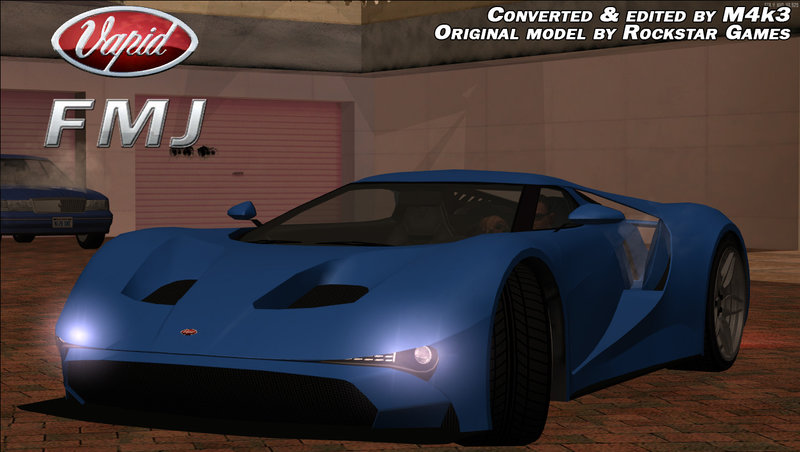
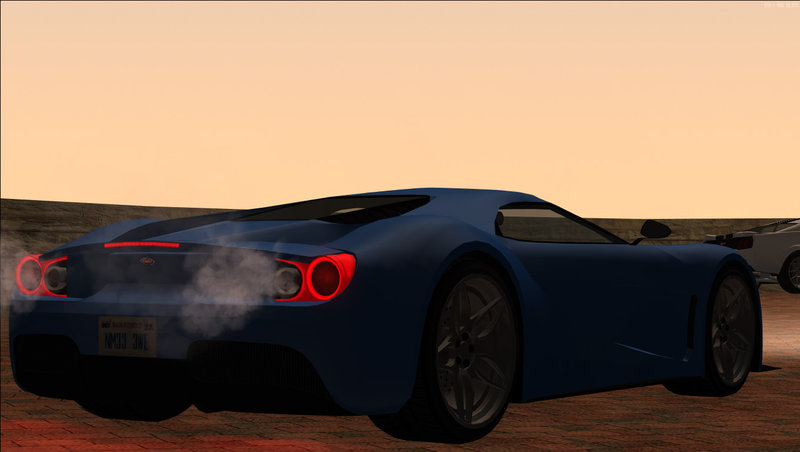
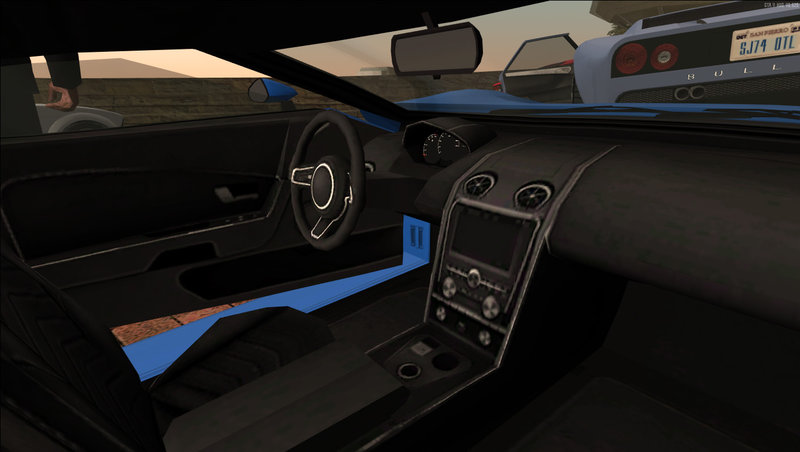
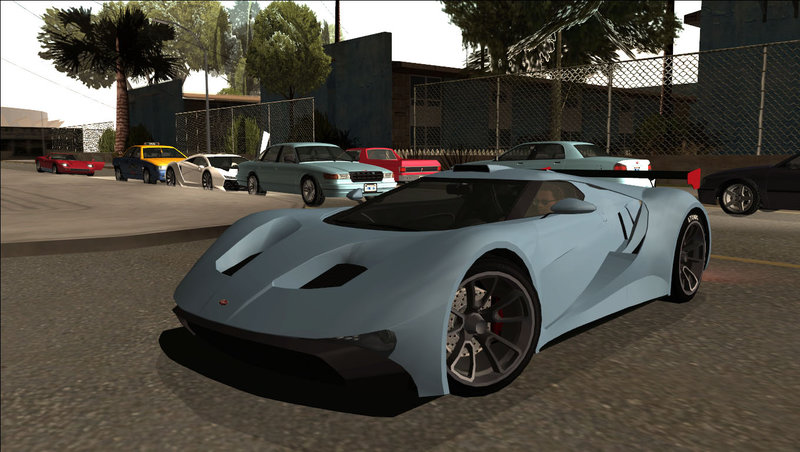
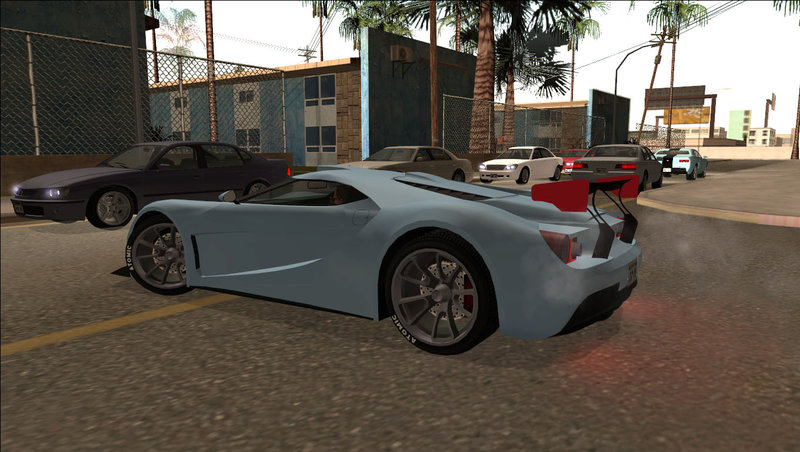
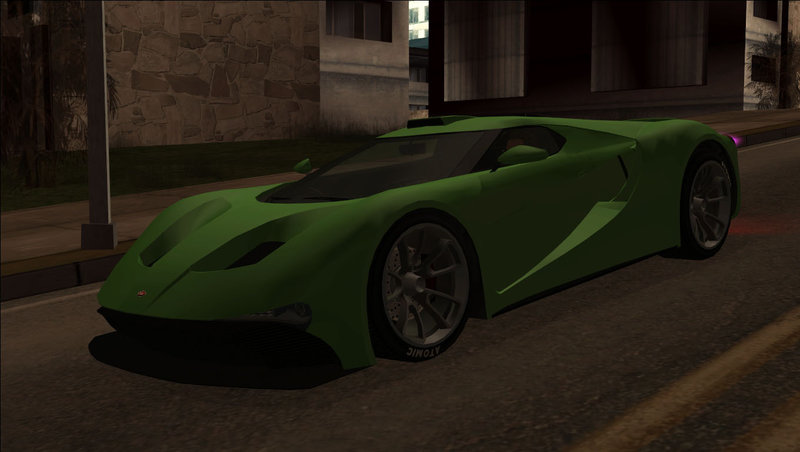
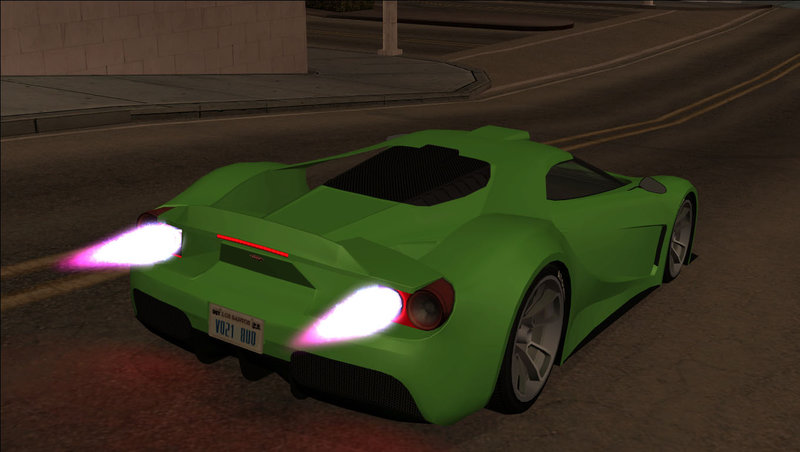
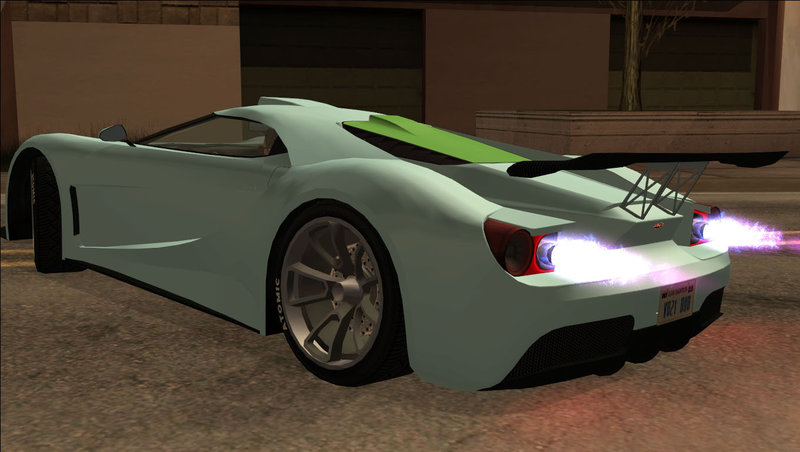
Vapid FMJ from Grand Theft Auto V
Converted to GTA SA and edited by M4k3
It's an Add-On vehicle. It means it doesn't replace anything by default.
If you're a SAMP player you should replace Bullet.
Features:
Converted to GTA SA and edited by M4k3
It's an Add-On vehicle. It means it doesn't replace anything by default.
If you're a SAMP player you should replace Bullet.
Features:
- Optimized model and textures.
- Works in SAMP.
- GTA SA numberplates.
- Has visible petrolcap.
- Custom collision.
- Flat shadow.
- Custom handling.
- 3 car colors: 1 and 2 - car paint, 3 - brake hubs
- Damaged parts with GTA V scratches.
- Adapted to M4k3's New Car Animations mod.
- Can be tuned in TransFender.
- FMJ tuning parts were converted (optional): 3 front splitters, 5 spoilers and 3 GT scoops.
- Works with and without ImVehFt (IVF features: dirt, indicators, reverse lights, fog lights, brake hubs, steering wheel).
Add vehgenbrakehub.png texture from "Alternative textures" folder in vehicle.txd if ImVehFt is not installed. - Realistic enviroment reflection.
Add the reflection textures in vehicle.txd from "Alternative Textures" folder if you use GFXHack.
- Rockstar Games - original model and textures
- DK22Pac - YTD/YDR/YDD/YFT and WFT2DFF converters
Comments
There are 15 comments posted yet.






09/24/2017 09:04
Thank you so much I've done it lol I'm very proud to myself and also very thankful to you
Quote | Reply
Quote: M4k3
@carleezy, That's how a line in .ide file looks like:
ID, DFF Name, TXD Name, Draw Distance, Flags
11929, misc_a_fmj_a, fmj, 100, 2097152
So, the only thing you would change is the TXD Name.
You don't actually need to rename the DFF files/DFF names. If you have renamed any of these - make sure they are the same (DFF files' names and the DFF names in .ide file)
Thank you so much
I've done it lol I'm very proud to myself and also very thankful to you Quote | Reply

09/24/2017 05:57
@carleezy, That's how a line in .ide file looks like:
ID, DFF Name, TXD Name, Draw Distance, Flags
11929, misc_a_fmj_a, fmj, 100, 2097152
So, the only thing you would change is the TXD Name.
You don't actually need to rename the DFF files/DFF names. If you have renamed any of these - make sure they are the same (DFF files' names and the DFF names in .ide file)
Quote | Reply
@carleezy, That's how a line in .ide file looks like:
ID, DFF Name, TXD Name, Draw Distance, Flags
11929, misc_a_fmj_a, fmj, 100, 2097152
So, the only thing you would change is the TXD Name.
You don't actually need to rename the DFF files/DFF names. If you have renamed any of these - make sure they are the same (DFF files' names and the DFF names in .ide file)
Quote | Reply
09/24/2017 02:02
How about the name of the files such as: misc_a_fmj_a, misc_a_fmj_b, misc_a_fmj_c, etc. Do I need to rename them as misc_a_bullet_a, misc_a_bullet_b, misc_a_bullet_c?
Quote | Reply
Quote: M4k3
@carleezy, you will still need to use Fastman Limit Adjuster, follow all steps except for the carmods.dat line (it's the 6th step).
Then after you do that, find the fmj_mods.ide in your data/maps/veh_mods and open it with notepad.
And then you will need to change every line like this:
From: 11929, misc_a_fmj_a, fmj, 100, 2097152
To: 11929, misc_a_fmj_a, bullet, 100, 2097152
Then open the ReadMe file, find the 6th step, there's "fmj" in the beginning of the carmods line. Rename it to "bullet" and then replace your line in carmods.dat
How about the name of the files such as: misc_a_fmj_a, misc_a_fmj_b, misc_a_fmj_c, etc. Do I need to rename them as misc_a_bullet_a, misc_a_bullet_b, misc_a_bullet_c?
Quote | Reply
09/23/2017 07:27
@carleezy, you will still need to use Fastman Limit Adjuster, follow all steps except for the carmods.dat line (it's the 6th step).
Then after you do that, find the fmj_mods.ide in your data/maps/veh_mods and open it with notepad.
And then you will need to change every line like this:
From: 11929, misc_a_fmj_a, fmj, 100, 2097152
To: 11929, misc_a_fmj_a, bullet, 100, 2097152
Then open the ReadMe file, find the 6th step, there's "fmj" in the beginning of the carmods line. Rename it to "bullet" and then replace your line in carmods.dat
Quote | Reply
@carleezy, you will still need to use Fastman Limit Adjuster, follow all steps except for the carmods.dat line (it's the 6th step).
Then after you do that, find the fmj_mods.ide in your data/maps/veh_mods and open it with notepad.
And then you will need to change every line like this:
From: 11929, misc_a_fmj_a, fmj, 100, 2097152
To: 11929, misc_a_fmj_a, bullet, 100, 2097152
Then open the ReadMe file, find the 6th step, there's "fmj" in the beginning of the carmods line. Rename it to "bullet" and then replace your line in carmods.dat
Quote | Reply


09/15/2017 11:32
@ItzCreppy_89, be specific. I don't know what your game is (is it even default SA or some mod u using or you're playing SAMP OR MTA), I don't know what way you need to install it (if you are going to add it - there are links to tutorials in the end of ReadMe File) and if you're going to replace SA vehicle (Bullet) - rename FMJ.DFF and FMJ.TXD to BULLET.DFF and BULLET.TXD, Open Readme - find the handling.cfg line, change the name from FMJ to BULLET. Then copy the line and replace your default Bullet line in your handling.cfg. Then do the same thing with carmods.dat - rename and replace the default line.
Then carcols.dat - rename from FMJ to Bullet, find the default line in your carcols.dat. Remove it. Scroll down and find "car4" section (it has camper, cement and squalo I think) and add the line from ReadMe there (there would be 4 lines - bullet, camper cement and squalo)
Quote | Reply
@ItzCreppy_89, be specific. I don't know what your game is (is it even default SA or some mod u using or you're playing SAMP OR MTA), I don't know what way you need to install it (if you are going to add it - there are links to tutorials in the end of ReadMe File) and if you're going to replace SA vehicle (Bullet) - rename FMJ.DFF and FMJ.TXD to BULLET.DFF and BULLET.TXD, Open Readme - find the handling.cfg line, change the name from FMJ to BULLET. Then copy the line and replace your default Bullet line in your handling.cfg. Then do the same thing with carmods.dat - rename and replace the default line.
Then carcols.dat - rename from FMJ to Bullet, find the default line in your carcols.dat. Remove it. Scroll down and find "car4" section (it has camper, cement and squalo I think) and add the line from ReadMe there (there would be 4 lines - bullet, camper cement and squalo)
Quote | Reply