Vice City / Mods / Modifications
GTA VI HUD for VC v0.5
- CharlesVercetti | uploaded by CharlesVercetti
- spilledout.cc/gtamodding/20...
- 09/24/2026
- 2 Downloads
Ratings:
Please sign in first.
Favorites:
Videos

You need to be signed in to add videos to this mod.
Description
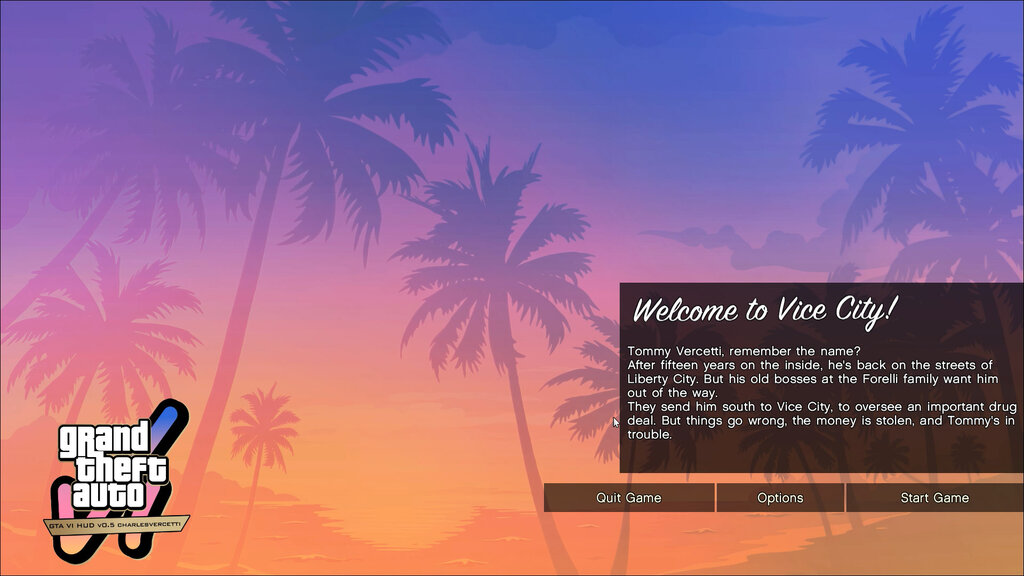
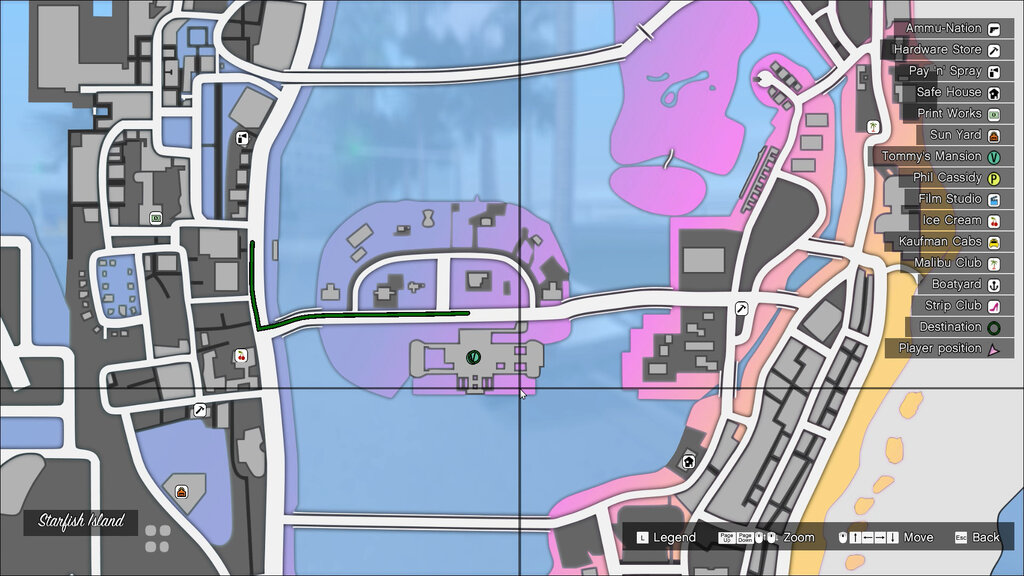
A modification for GTA Vice City which adds GTA VI styled radar, HUD, and menu elements based off the GTA V and VI HUD!
How to Install:
- You’ll need a v1.0 exe of GTA Vice City to work.
- Open the zip file.
- If you had extracted this already using it, skip the step.
- Extract all the contents to your game folder.
- This already comes with the latest widescreen fix by 13AG, ASI loader by 13AG and rwd3d9.dll plugin (for blur filters) and SilentPatch (assuming it’s on a fresh install).
- The mod still runs without a widescreen fix or SilentPatch, but the Widescreen fix and SilentPatch both add a lot of QOL improvements to improve the Vice City gaming experience. Visit FusionFix Widescreen Fix to know more about WSFix and Silent’s Blog for more info on SilentPatch.
Features:
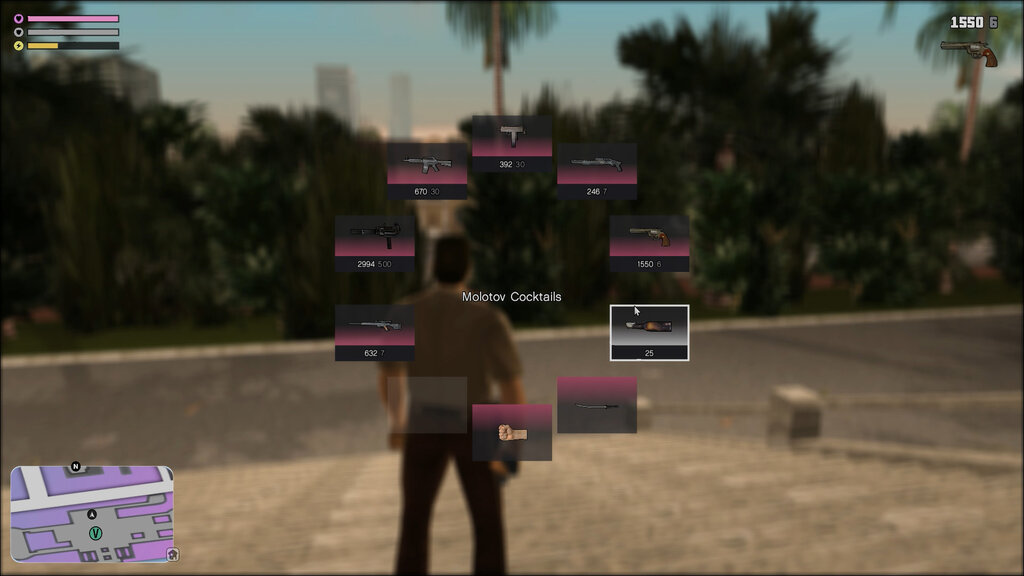
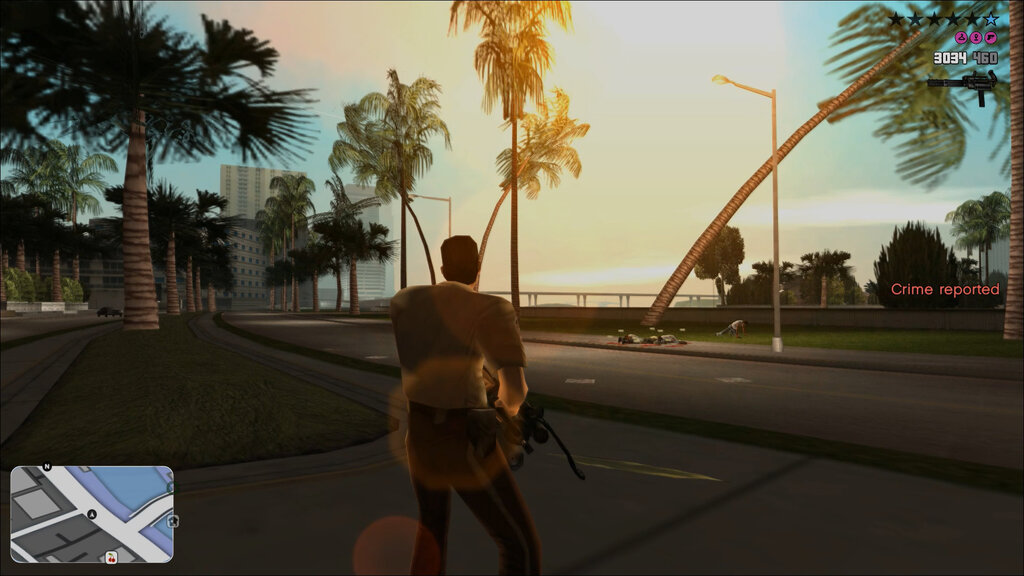
HUD:- Stacked Health/Armor/Stamina bars with their own icons.
- New money counter with icons.
- New weapon icons based on weapon renders like GTA VI. Thanks to Original HD Weapons Pack v5 on GTAInside for the HD original weapons pack. Some missing icons were referenced from Vice City HD Weapons.
- New gradient colored message box with stacking (In-game messages, garage messages and hidden packages).
- New status texts – display “Crime reported”, ammo count and money increasing messages.
- New wanted level icon indicators inspired by GTA VI. All 3 at one time – cause police are overpowered in GTA VC.
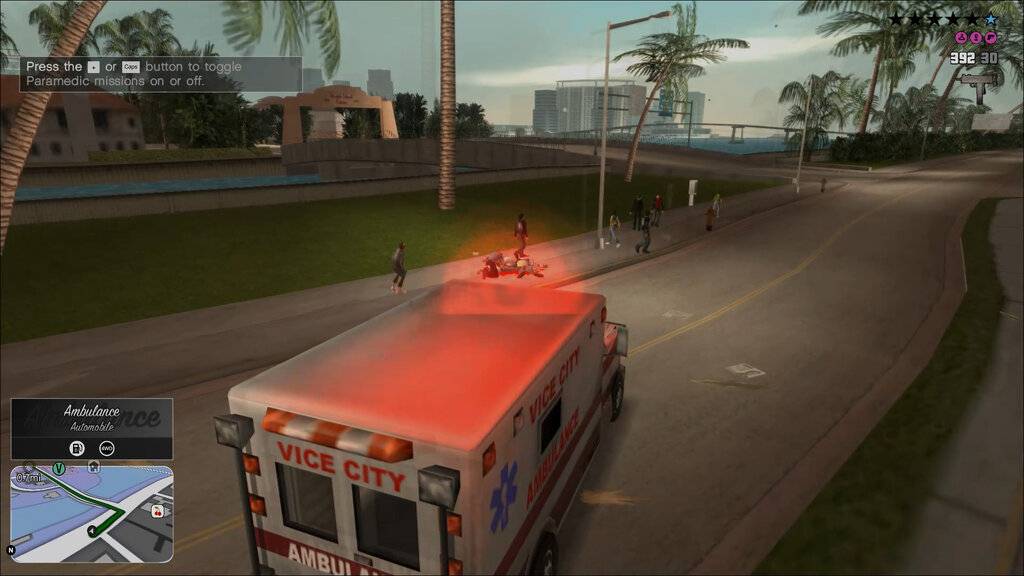
- New Vehicle Info Panel. Shows when entering the vehicle. Displays the vehicle name, type, transmission and fuel type in a mini panel.
- New Location Panel. Shows above the radar.
- New rounded rectangle radar. Adjustable.
- New radar map render. 100% SVG and easily customizable.
- New radar icons, based on GTA VI designs.
- New 3D map navigation + 3D GPS with waypoint and distance counter.
- New rectangle weapon wheel, now selectable with mouse (Press and hold “1”).
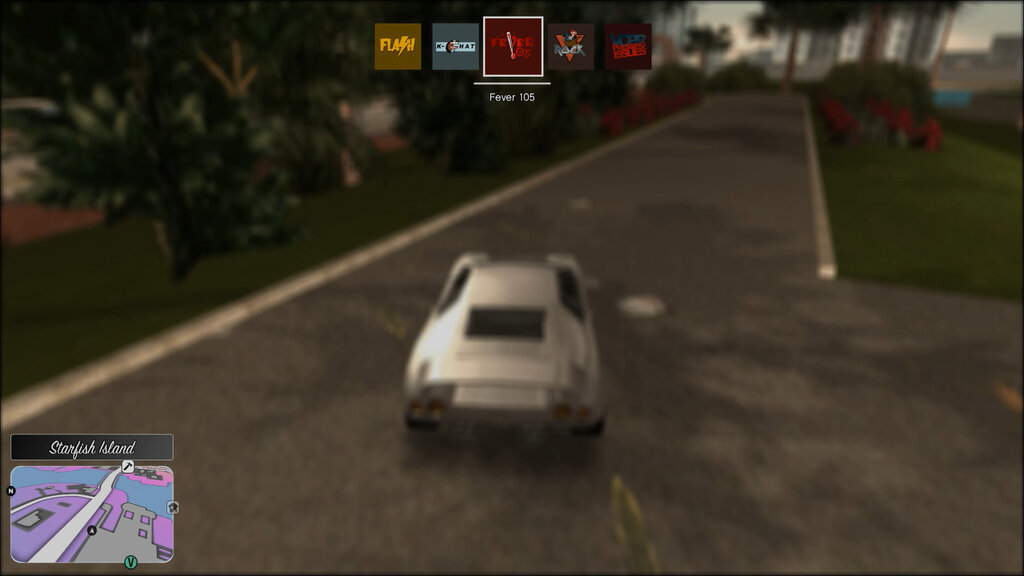
- New sliding radio HUD with radio name.
- Blur behind weapon/radio HUD and slow-motion activation.
- Now phone is not useless anymore. Auto-activates whenever there is a call, with appropriate caller-id displayed below time.
- All textures used in the HUD are directly rendered via svg and png files via DirectImageRasterizer – a completely open source live SVG/PNG to RwTexture converter for GTA Trilogy developed by myself. This is a required dependency: DirectImageRasterizer on GitHub.
- Many elements are drawn via code (rectangles, outlines and gradients).
- Any of the new features can be enabled or disabled or adjusted to user’s preference to run the GTA V version of those HUD elements.
- Crosshairs with hit-indicator (unchanged).
- Simple Reticule option added in configs (unchanged).
- Auto Classic Axis identification (unchanged).
- Config files are now auto-generated by the plugin if not found (unchanged).
- EasyFont dependency – now EasyFont mod handles the complete font engine as a required dependency. The mod only offers upto GTA V fonts right now. EasyFont on NexusMods.
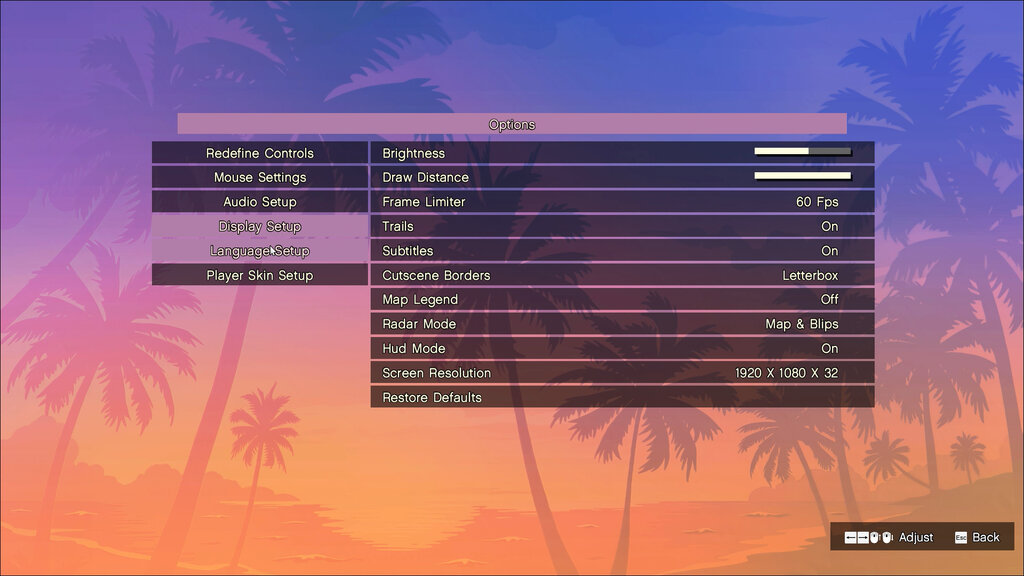
- Tabbed menu with clicking. You can finally click anywhere.
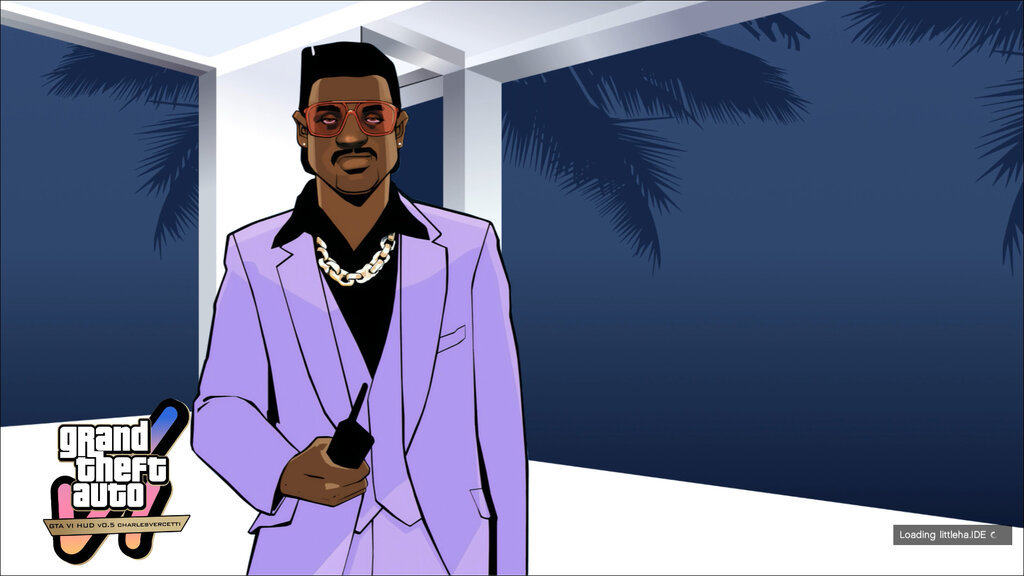
- Animated loading screens with music.
- Fresh loading screen renders – based off Vice City 4K Loading Screens on GTAForums.
- New menu background.
- New game logo.
- Transparent pause menu enabled as default.
- Frame limiter (widescreen fix fork).
- Cutscene borders option (widescreen fix fork).
- All menu textures are rendered via .png files using DirectImageRasterizer.
- Revamped Menu layouts, completely customizable positioning for each screen.
- New Keyboard setup and Player Skin setup screens.
- Reordered Options.
- (Experimental) Tabbed menu layout – turned off by default.
- Transparent Blur effects on Menu background and Weapon wheel toggle – turned off by default.
- Blur effect, colour and saturation are customizable.
- New frontend textures – Game cover, Menu background (original) and mouse icons.
- New loading screens – sourced from LibertyCity.
- All menu, HUD, Font textures relocated to /rect_hud_charlesvercetti folder. Mod works purely as plug and play now.
- New GXT_new.csv which houses all GXT strings in /rect_hud_charlesvercetti folder.
- New Control bar at bottom right – replaces helper text and improved navigation.
- New Pause Map screen with HQ map textures and transparent background – customizable.
- Skip Intro toggle – enabled by default.
- Skip Loading screen toggle – disabled by default.
- Game Auto loader toggle – enabled by default. If no saves, start a new game.
- Trails toggle – enables in-built trails (hazy blur effect). Disabled when SkyGfx installed. Another fantastic mod: SkyGfx VC on GitHub.
Customization:
- Any part of the HUD or menu can be customized with a robust, cleanly reorganized config file.
- With DirectImageRasterizer, .txd files are no longer used. Easy drag and drop of your custom png or svg files and you are good to go.
- Thanks to EasyFont, enjoy your favourite font style by just dropping the .ttf file in the mod folder and update config accordingly.
Controls:
- Press “1” and hold to use weapon wheel along with mouse. Or just scroll normally.
- Press “2” to view current radio.
- Press “R” or scroll wheel to adjust radio.
- Press “P” to enable phone and “O” to disable it.
- Press “Left Ctrl” to refresh config file while running game. (mappable)
Important Notes:
- Don’t forget to ask for permission while hosting this on your server or something.
- The new folder structure is used to prevent mod stealing activities.
- Don’t rename and repack and distribute and act like an intellectual. The mod won’t work!
Comments
There are 0 comments posted yet.