San Andreas / Tools / Tools to create new cars, maps, mods etc.
GTA SA SketchUp Tools v1
- shafiekwalker | uploaded by shafiekwalker
- shafiekwalker7861.github.io...
- 09/26/2026
- 8 Downloads
Ratings:
Please sign in first.
Favorites:
Videos
No videos added yet.You need to be signed in to add videos to this mod.
Description
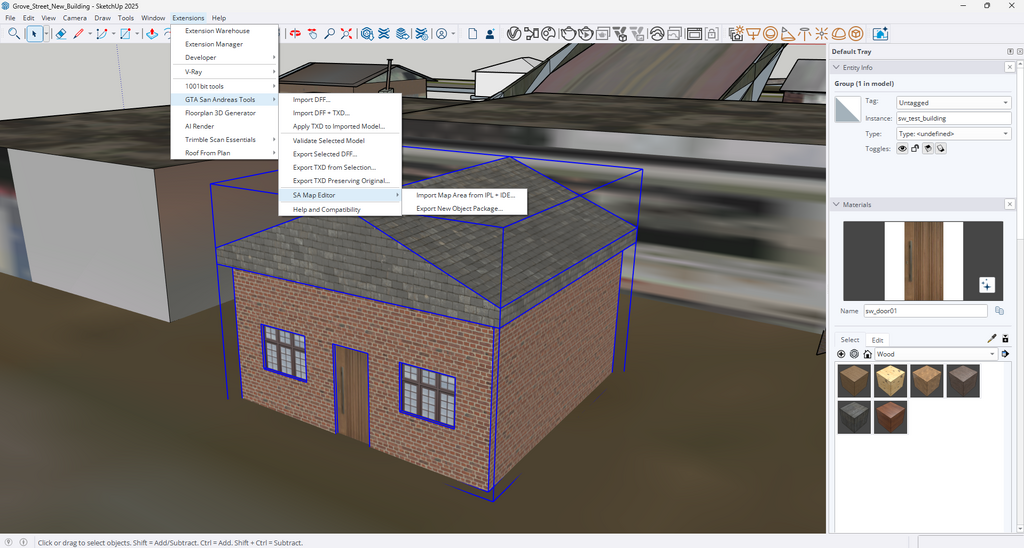
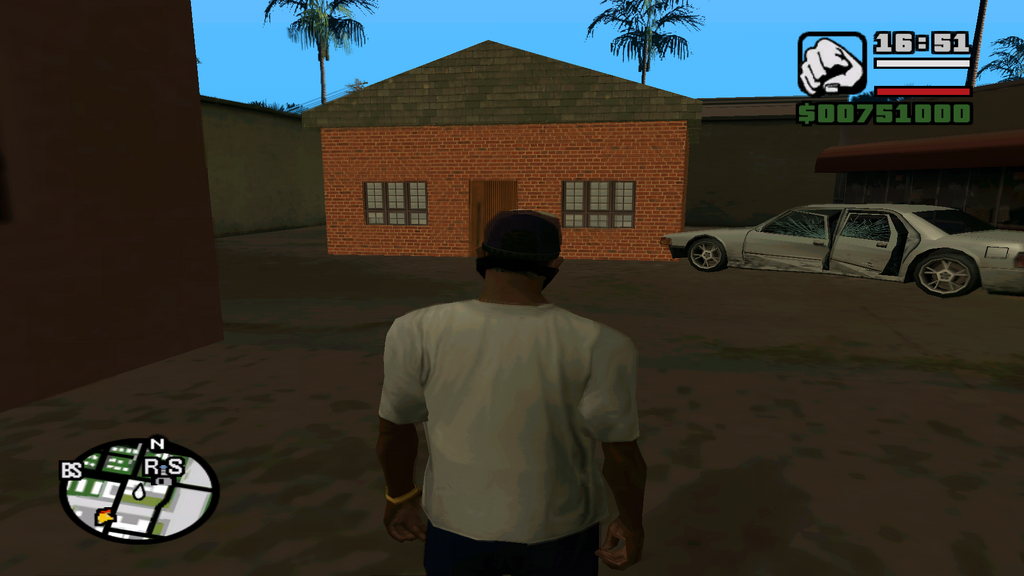
GTA SA SketchUp Tools is a SketchUp extension for creating and editing content for Grand Theft Auto: San Andreas.
FEATURES
- Import GTA San Andreas DFF models
- Import and apply textures from TXD files
- Import nearby map objects using IPL and IDE files
- Create custom buildings and map objects
- Export game-ready DFF and TXD files
- Generate IDE and IPL placement files
- Generate COL collision files
- Validate models before exporting
INSTALLATION
1. Download and extract the ZIP file.
2. Open SketchUp.
3. Go to Extensions > Extension Manager.
4. Click Install Extension.
5. Select GTA_SA_SketchUp_Tools_v1.3.0.rbz.
6. Restart SketchUp if requested.
7. Open GTA SA SketchUp Tools from the Extensions menu.
REQUIREMENTS
- SketchUp 2025 or compatible version
- GTA San Andreas Classic PC
- Mod Loader is recommended
- ASI Loader and Open Limit Adjuster may be required
- A legally obtained copy of GTA San Andreas
IMPORTANT
The current collision exporter creates a solid rectangular collision box around the model. Buildings with working entrances or interiors may require custom detailed collision.
This package does not include original Rockstar Games models, textures or game files. Users must extract assets from their own legally obtained copy of GTA San Andreas.
Created and developed by Shafiek Walker.
Development assistance provided by Codex.
This is an independent fan-made tool and is not affiliated with or endorsed by Rockstar Games or Take-Two Interactive.
Comments
There are 0 comments posted yet.