San Andreas / Mods / CLEO Modifications
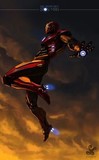
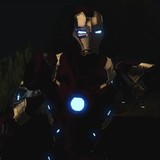
IronMan Endgame CLEO Mod
- Apus11 Modding | uploaded by Apus11 Modding
- apus11.blogspot.com
- 06/23/2020
- 46715 Downloads
Ratings:
Please sign in first.
Favorites:


Videos

You need to be signed in to add videos to this mod.
Description
-------------------(IronMan Endgame Mod By Apus11)---------------------
Author = (Apus11) <<<<<
Special Thanks To Kelvin17
Special Thanks To Modded Play
-------Informations\Installation--------------------------------------------------------
:I Given Cleo And Modloader Rar File From This You Can Install Cleo And Modloader Just Copy All File
And Paste To Gta SA Root Folder Then Replace You Must...
:You Must Installed Cleo 4 And Modloader //If You Haven't Installed,I given In My Mod Install From There
:Import Skins And Stuff In gta3.img Through Using Alci's img Editor
:Replace the Mod's Cleo Folder In Gta Sa Cleo Folder
//Or
:Put IronMan Endgame Mod File Into Modloader Only//Enjoy!!
-------[Controllers]---------------------------------------------------------------------------}}}}}}}}(Main)
:Type "Iman" To Enable Mod Then Again To Disable
:Press P button For Shortcut Conrollers And Information
:Before Select The Power You Can Use it By Pressing Rmb+Lmb
:You Can Get Notification For How To Use The Power You Selected
:Type "Keys" To Open Keys Menu , Q And E To Move Menu Page Then F To Close
-------[Models by His Respective Authors]--------------------------------------------------------------------------------
:IronMan EndGame Skin By Laxxter
:IronMan EndGame Swords And Ultra BackRep Skin By MrAndres5555
:IronMan EndGame Weapons Models By Aperture Gamer
:IronMan EndGame BackRepulsor Skin And Animations Improved By Modded Play
:HulkBuster Skin By USF Mods
-------[Contents]-----------------------------------------------------------------------------
:Must Installed Original Gta san Andreas
:Coution!!! = Please Only Install Ironman Endgame Mod And Clean the Other Mod Before use
------[Helped]---------------------------------------------------------------------------------
:Mark Suit Up Animation By 007Ripper
:BackRepulsor Animation By Modded Play
-------AuthorInformation-------------------------------------------------------------------
:I'm Gta sa Cleo Scripter And Author Of This Mod You Can Read More About Me//At My Blog
:And Support Me For The Better Experience
:At The Contacts Are Given Below
-------Version--------------------------------------------------------------------------------
:Version 1.0
:Some Features And More Powers Are Under Developing.....
:Next Version 1.1 Coming Soon............................................
-------[Contacts]---------------------------------------------------------------------------------------------------------------
:Facebook = www.facebook.com\apus11
:gtainside = www.gtainside.com\profile\Apus11_Modding
:Blogspot = apus11.blogspot.com
:Youtube = apus11\youtube.com
----------------------------------------------------[Finish (By Apus11)]-------------------------------------
Author = (Apus11) <<<<<
Special Thanks To Kelvin17
Special Thanks To Modded Play
-------Informations\Installation--------------------------------------------------------
:I Given Cleo And Modloader Rar File From This You Can Install Cleo And Modloader Just Copy All File
And Paste To Gta SA Root Folder Then Replace You Must...
:You Must Installed Cleo 4 And Modloader //If You Haven't Installed,I given In My Mod Install From There
:Import Skins And Stuff In gta3.img Through Using Alci's img Editor
:Replace the Mod's Cleo Folder In Gta Sa Cleo Folder
//Or
:Put IronMan Endgame Mod File Into Modloader Only//Enjoy!!
-------[Controllers]---------------------------------------------------------------------------}}}}}}}}(Main)
:Type "Iman" To Enable Mod Then Again To Disable
:Press P button For Shortcut Conrollers And Information
:Before Select The Power You Can Use it By Pressing Rmb+Lmb
:You Can Get Notification For How To Use The Power You Selected
:Type "Keys" To Open Keys Menu , Q And E To Move Menu Page Then F To Close
-------[Models by His Respective Authors]--------------------------------------------------------------------------------
:IronMan EndGame Skin By Laxxter
:IronMan EndGame Swords And Ultra BackRep Skin By MrAndres5555
:IronMan EndGame Weapons Models By Aperture Gamer
:IronMan EndGame BackRepulsor Skin And Animations Improved By Modded Play
:HulkBuster Skin By USF Mods
-------[Contents]-----------------------------------------------------------------------------
:Must Installed Original Gta san Andreas
:Coution!!! = Please Only Install Ironman Endgame Mod And Clean the Other Mod Before use
------[Helped]---------------------------------------------------------------------------------
:Mark Suit Up Animation By 007Ripper
:BackRepulsor Animation By Modded Play
-------AuthorInformation-------------------------------------------------------------------
:I'm Gta sa Cleo Scripter And Author Of This Mod You Can Read More About Me//At My Blog
:And Support Me For The Better Experience
:At The Contacts Are Given Below
-------Version--------------------------------------------------------------------------------
:Version 1.0
:Some Features And More Powers Are Under Developing.....
:Next Version 1.1 Coming Soon............................................
-------[Contacts]---------------------------------------------------------------------------------------------------------------
:Facebook = www.facebook.com\apus11
:gtainside = www.gtainside.com\profile\Apus11_Modding
:Blogspot = apus11.blogspot.com
:Youtube = apus11\youtube.com
----------------------------------------------------[Finish (By Apus11)]-------------------------------------
Comments
There are 25 comments posted yet.