San Andreas / Android/iOS / Cars
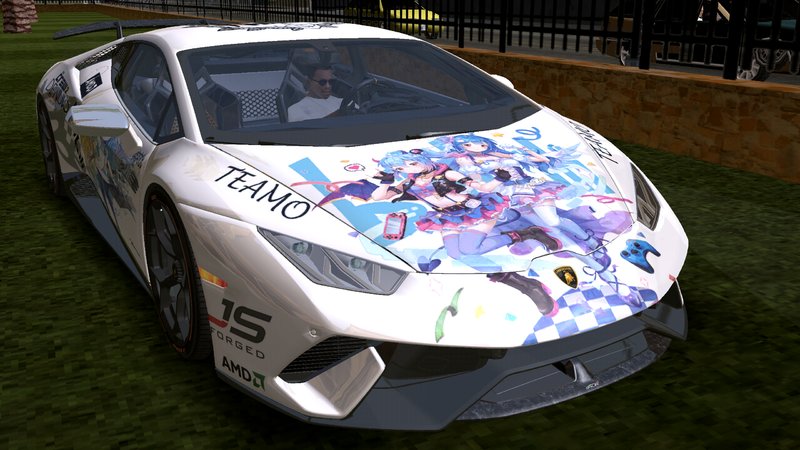
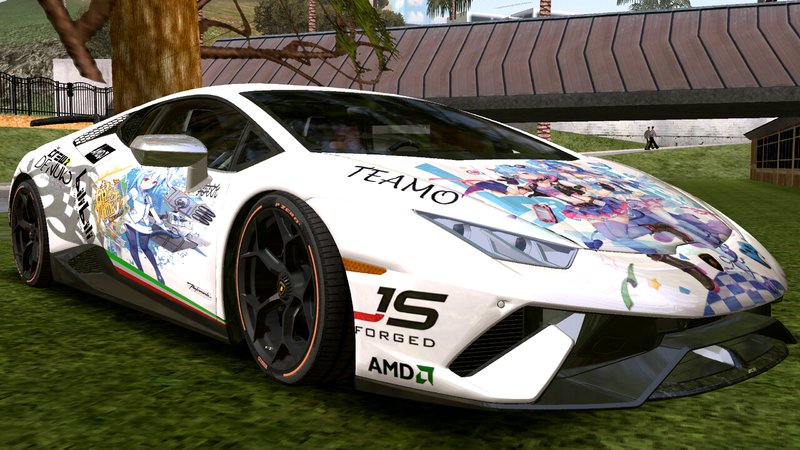
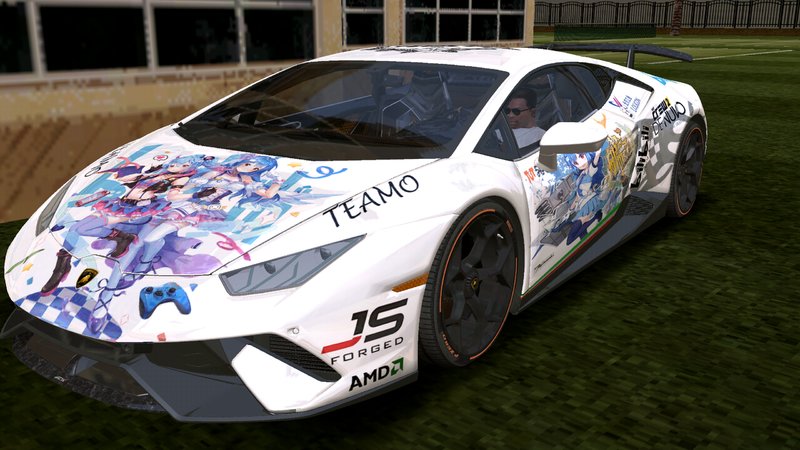
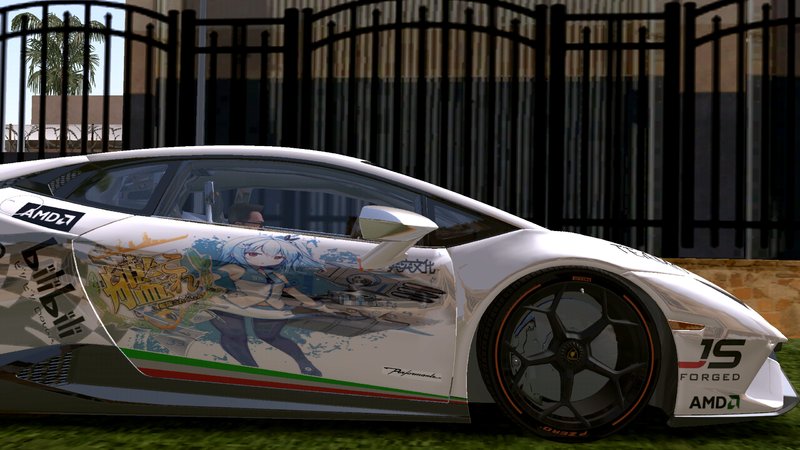
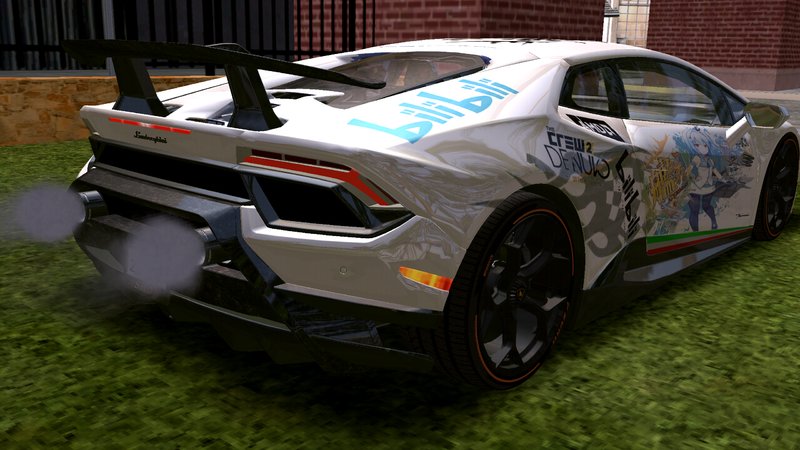
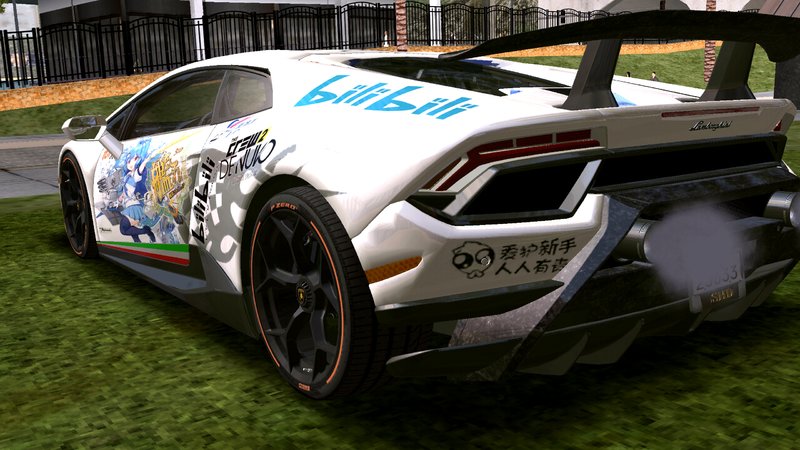
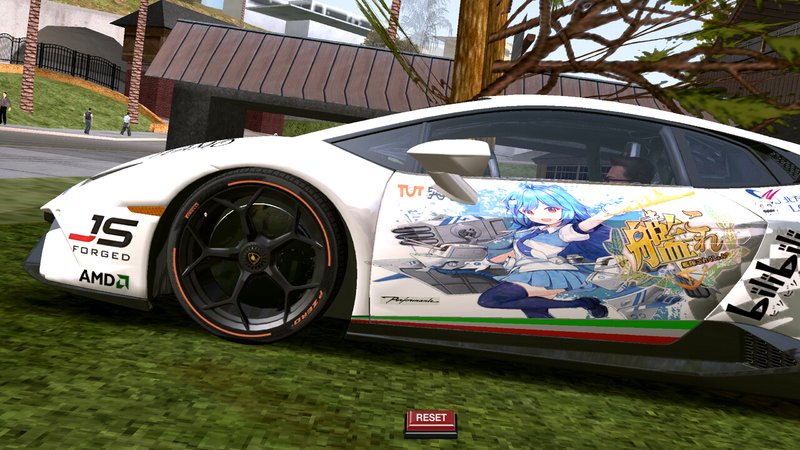
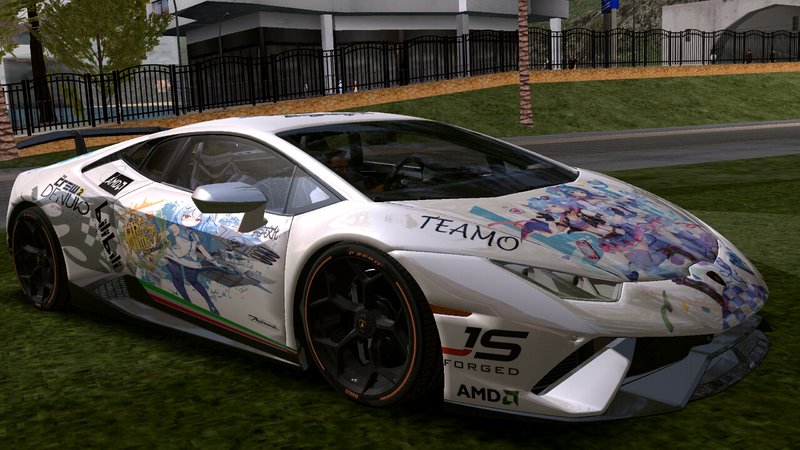
Lamborghini Huracan Performante 2018 bilibili Itasha for mobile
- West Lantau boys | uploaded by West Lantau boys
- gtainside.com/en/sanandreas...
- 03/23/2019
- 20861 Downloads
Ratings:
Please sign in first.
Favorites:
Videos
No videos added yet.You need to be signed in to add videos to this mod.
Description
Lamborghini Huracan Performante 2018 bilibili Itasha for mobile
==========================================
Introduction:
Available Android version, add my original bilibi style HD painting, if you like, please remember to give a 10 stars high praise.
Credits :
Author Model : SHDru
Converted to mobile : West Lantau boys
Original mode address : https://www.gtainside.com/en/sanandreas/cars/108942-lamborghini-huracan-performante-2018/
handing.cfg
==============
RUMPO 2620.0 5890.0 2.0 0 0.20 -0.20 -1 0.83 0.72 0.45 5 330 22 80 R P 4.5 0.60 1 35 0.90 0.115 5 0.20 -0.05 0.55 0.2 1 0.30 1500000 40002004 1000003 1 1 1
vehivles.ide
==============
440, rumpo, rumpo, car, RUMPO, RUMPO, null, executive, 5, 0, 0, -1, 0.75, 0.75, 0
carcols.dat
==============
rumpo, 1,1
Thank the original author for sharing. If infringement occurs, please contact me.
- 23.03.2019
==========================================
Introduction:
Available Android version, add my original bilibi style HD painting, if you like, please remember to give a 10 stars high praise.
Credits :
Author Model : SHDru
Converted to mobile : West Lantau boys
Original mode address : https://www.gtainside.com/en/sanandreas/cars/108942-lamborghini-huracan-performante-2018/
handing.cfg
==============
RUMPO 2620.0 5890.0 2.0 0 0.20 -0.20 -1 0.83 0.72 0.45 5 330 22 80 R P 4.5 0.60 1 35 0.90 0.115 5 0.20 -0.05 0.55 0.2 1 0.30 1500000 40002004 1000003 1 1 1
vehivles.ide
==============
440, rumpo, rumpo, car, RUMPO, RUMPO, null, executive, 5, 0, 0, -1, 0.75, 0.75, 0
carcols.dat
==============
rumpo, 1,1
Thank the original author for sharing. If infringement occurs, please contact me.
- 23.03.2019
Comments
There are 9 comments posted yet.




04/12/2019 15:39
You need several apps to do the operation:
Apps needed 1. ZARCHIVER 2. IMG TOOL 3. TXD TOOL
-----------------
Q/WHAT TO DO NOW??
1. Go to zarchiver then go to Android/obb/com.rockstargames.gtasa/single click on main.8 then copy gta3 to Android/data/com.rockstargames.gtasa/files/texdb/(put it here)
2. Go to obb folder again and single click on patch.8 and then go to texdb then copy gta3.img and put it to Android/data/com.rockstargames......./files/texdb/here!
3. Go to the downloaded file and extract it after the extraction is done u see a dff file and some PNG images
4. Go to IMG TOOL app and click open IMG then go to Android/data/com.rockstargames.gtasa/files/texdb/click on gta3.img
5. After that go to the location where you extracted the file (the car) and only import dff file after done rebuild the IMG
6. Go to TXD TOOL (u must have it lel) open cache and go to Android/data/com.rockstargames.gtasa and go to gta3 then u see gta3.txt open it
7. After this click on (+) icon and add the PNG files of the mod with/without alpha channels,when import is completed
8.just go to the game and have f*****g fun

THIS S*** WAS TOO MUCH LELLLLLL
Quote | Reply
Quote: Kioni
Please add instruction for newbie like me IDK what to do at all
You need several apps to do the operation:
Apps needed 1. ZARCHIVER 2. IMG TOOL 3. TXD TOOL
-----------------
Q/WHAT TO DO NOW??
1. Go to zarchiver then go to Android/obb/com.rockstargames.gtasa/single click on main.8 then copy gta3 to Android/data/com.rockstargames.gtasa/files/texdb/(put it here)
2. Go to obb folder again and single click on patch.8 and then go to texdb then copy gta3.img and put it to Android/data/com.rockstargames......./files/texdb/here!
3. Go to the downloaded file and extract it after the extraction is done u see a dff file and some PNG images
4. Go to IMG TOOL app and click open IMG then go to Android/data/com.rockstargames.gtasa/files/texdb/click on gta3.img
5. After that go to the location where you extracted the file (the car) and only import dff file after done rebuild the IMG
6. Go to TXD TOOL (u must have it lel) open cache and go to Android/data/com.rockstargames.gtasa and go to gta3 then u see gta3.txt open it
7. After this click on (+) icon and add the PNG files of the mod with/without alpha channels,when import is completed
8.just go to the game and have f*****g fun
THIS S*** WAS TOO MUCH LELLLLLL
Quote | Reply