GTA V / Trains
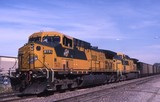
联合太平洋铁路燃气轮机车 Union Pacific 8500 HP Gas Turbine-Electric Locomotives [Add-On | Replace]
- yanfenglenfan
- 03/18/2018
- 13562 Downloads
Ratings:
Please sign in first.
Favorites:
Download
46.58Mb
46.58Mb
![联合太平洋铁路燃气轮机车 Union Pacific 8500 HP Gas Turbine-Electric Locomotives [Add-On | Replace]](/img/201803/b/1521372452_1521372422_union-pacific-8500-hp-gas-turbine-electric-locomotives-add-on-replace.jpg)
![联合太平洋铁路燃气轮机车 Union Pacific 8500 HP Gas Turbine-Electric Locomotives [Add-On | Replace]](/img/201803/b/1521372452_1521372422_union-pacific-8500-hp-gas-turbine-electric-locomotives-add-on-replace-0.jpg)
![联合太平洋铁路燃气轮机车 Union Pacific 8500 HP Gas Turbine-Electric Locomotives [Add-On | Replace]](/img/201803/b/1521372452_1521372422_union-pacific-8500-hp-gas-turbine-electric-locomotives-add-on-replace-1.jpg)
![联合太平洋铁路燃气轮机车 Union Pacific 8500 HP Gas Turbine-Electric Locomotives [Add-On | Replace]](/img/201803/b/1521372452_1521372422_union-pacific-8500-hp-gas-turbine-electric-locomotives-add-on-replace-2.jpg)
![联合太平洋铁路燃气轮机车 Union Pacific 8500 HP Gas Turbine-Electric Locomotives [Add-On | Replace]](/img/201803/b/1521372452_1521372422_union-pacific-8500-hp-gas-turbine-electric-locomotives-add-on-replace-3.jpg)
![联合太平洋铁路燃气轮机车 Union Pacific 8500 HP Gas Turbine-Electric Locomotives [Add-On | Replace]](/img/201803/b/1521372452_1521372422_union-pacific-8500-hp-gas-turbine-electric-locomotives-add-on-replace-4.jpg)
![联合太平洋铁路燃气轮机车 Union Pacific 8500 HP Gas Turbine-Electric Locomotives [Add-On | Replace]](/img/201803/b/1521372452_1521372422_union-pacific-8500-hp-gas-turbine-electric-locomotives-add-on-replace-5.jpg)
![联合太平洋铁路燃气轮机车 Union Pacific 8500 HP Gas Turbine-Electric Locomotives [Add-On | Replace]](/img/201803/b/1521372452_1521372422_union-pacific-8500-hp-gas-turbine-electric-locomotives-add-on-replace-6.jpg)
Videos
No videos added yet.You need to be signed in to add videos to this mod.
Description
联合太平洋铁路燃气轮机车 Union Pacific 8500 HP Gas Turbine-Electric Locomotives [Add-On Replace] 1.0
中文说明:
3d模型:Train Simulator 2017
转换至GTA5:yanfenglenfan
*特点:
1.精致的外部细节
2.真实的内部驾驶室
3.超清的贴图和纹理
*安装:
*替换式安装:
1. 打开OpenIV, 找到这个路径下的freight
\Grand Theft Auto V\mods\x64e.rpf\levels\gta5\vehicles.rpf\
or:
\Grand Theft Auto V\x64e.rpf\levels\gta5\vehicles.rpf\
替换并保存
*添加式安装:
1. 复制 "UP8500" 文件夹到
\Grand Theft Auto V\update\x64\dlcpacks
2. 打开OpenIV, 找到这个路径下的dlclist.xml
\Grand Theft Auto V\update\update.rpf\common\data\dlclist.xml
打开它,添加下面一行:
dlcpacks:\UP8500\
3.trains.xml :
-----------------> \common.rpf\data\levels\gta5替换原文件
*未经允许禁止转载
*希望你们喜欢!
==========================================================================================
English:
3D models: Train Simulator 2017
Convert to GTA5: yanfenglenfan
* Feature:
1.Delicate external details
2.real interior cab
3.super clear maps and textures
* Installation:
* Replace:
1. Open OpenIV, Find the freight under this path
\Grand Theft Auto V\mods\x64e.rpf\levels\gta5\vehicles.rpf\
or:
\Grand Theft Auto V\x64e.rpf\levels\gta5\vehicles.rpf\
Replace three homonyms,and save
* Add-On:
1. Copy "UP8500" folder to
\Grand Theft Auto V\update\x64\dlcpacks
2.Open OpenIV, find and extract dlclist.xml
\Grand Theft Auto V\update\update.rpf\common\data\dlclist.xml
open it, add new line:
dlcpacks:\UP8500\
3.trains.xml :
-----------------> \common.rpf\data\levels\gta5
thank you for the download!
==========================================================================================
中文说明:
3d模型:Train Simulator 2017
转换至GTA5:yanfenglenfan
*特点:
1.精致的外部细节
2.真实的内部驾驶室
3.超清的贴图和纹理
*安装:
*替换式安装:
1. 打开OpenIV, 找到这个路径下的freight
\Grand Theft Auto V\mods\x64e.rpf\levels\gta5\vehicles.rpf\
or:
\Grand Theft Auto V\x64e.rpf\levels\gta5\vehicles.rpf\
替换并保存
*添加式安装:
1. 复制 "UP8500" 文件夹到
\Grand Theft Auto V\update\x64\dlcpacks
2. 打开OpenIV, 找到这个路径下的dlclist.xml
\Grand Theft Auto V\update\update.rpf\common\data\dlclist.xml
打开它,添加下面一行:
dlcpacks:\UP8500\
3.trains.xml :
-----------------> \common.rpf\data\levels\gta5替换原文件
*未经允许禁止转载
*希望你们喜欢!
==========================================================================================
English:
3D models: Train Simulator 2017
Convert to GTA5: yanfenglenfan
* Feature:
1.Delicate external details
2.real interior cab
3.super clear maps and textures
* Installation:
* Replace:
1. Open OpenIV, Find the freight under this path
\Grand Theft Auto V\mods\x64e.rpf\levels\gta5\vehicles.rpf\
or:
\Grand Theft Auto V\x64e.rpf\levels\gta5\vehicles.rpf\
Replace three homonyms,and save
* Add-On:
1. Copy "UP8500" folder to
\Grand Theft Auto V\update\x64\dlcpacks
2.Open OpenIV, find and extract dlclist.xml
\Grand Theft Auto V\update\update.rpf\common\data\dlclist.xml
open it, add new line:
dlcpacks:\UP8500\
3.trains.xml :
-----------------> \common.rpf\data\levels\gta5
thank you for the download!
==========================================================================================
Comments
There are 6 comments posted yet.