GTA V / Mods / Graphics
Natural Graphic GTA V
- proaliahmadr
- facebook.com/proaliahmadr
- 10/08/2015
- 23543 Downloads
Ratings:
Please sign in first.
Favorites:
Download
2.75Mb
2.75Mb
Videos
No videos added yet.You need to be signed in to add videos to this mod.
Description
Hi Guys!
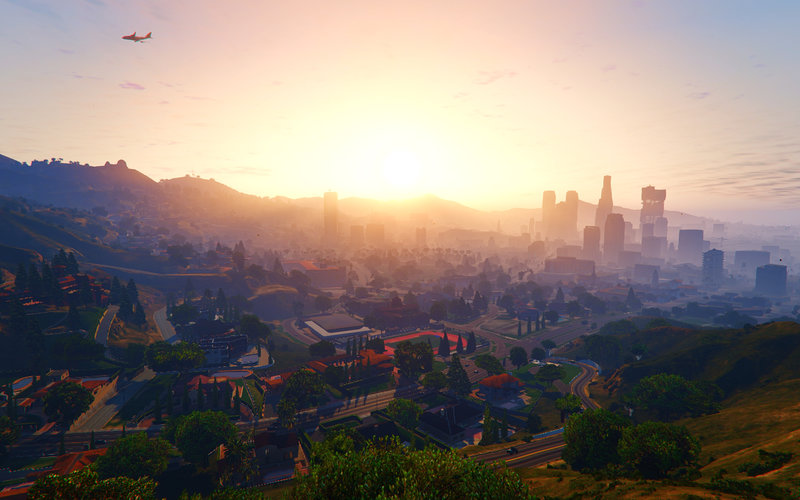
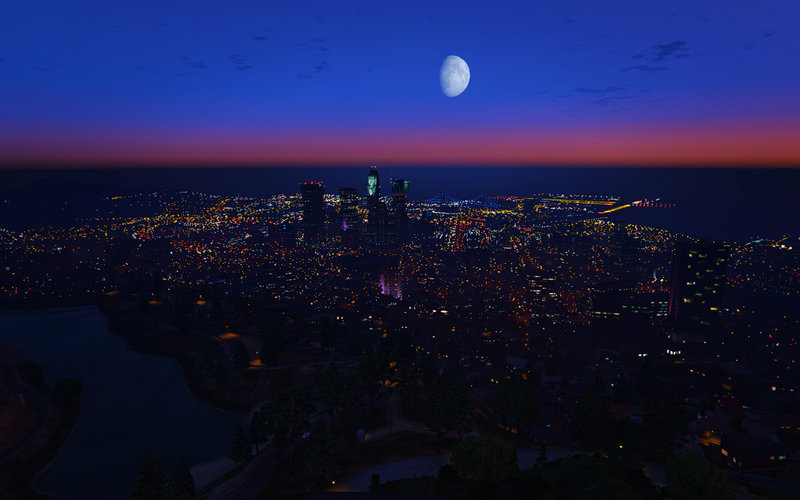
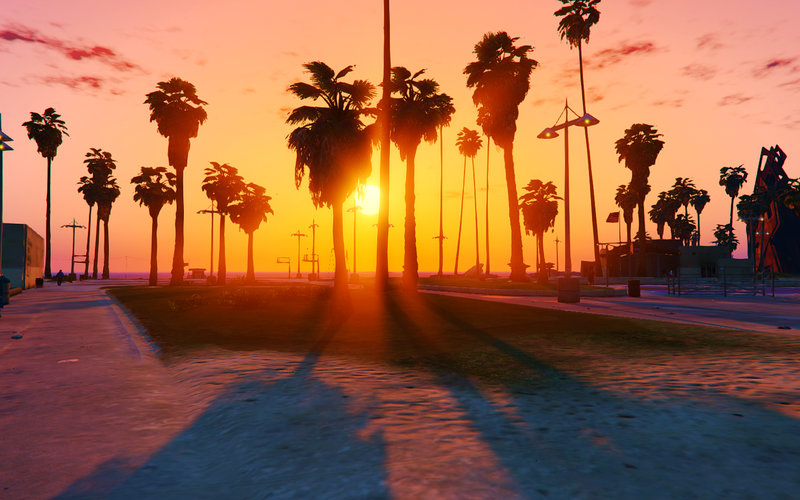
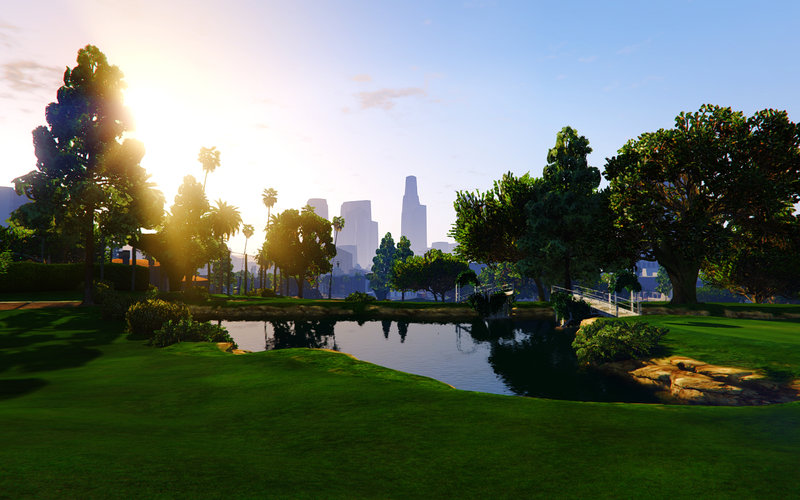
This is my weather/timecyc modification.
Im trying to make it as natural as possible.
But still have the original game atmosphere.
If you enjoy it,dont forget to [Like] this mod :D
[Weather Feature]
-Balanced fog distance and density to looks like the last-gen version (Which is better in my opinion)
-Balanced bloom,DoF and weather duration.
-Chromatic Aberration removed on all weather.
-Better "water puddle" reflection
-Darker night
-More rain particle
[SweetFX Feature]
-SMAA
-HDR
-Cineon DPX
-Lumasharpen
-Vibrance
-Dither
[ENB Feature]
-Night Lightsprite Overhaul (now it use all available in game corona)
-Vehicle reflection enhancement
-Night time blur removal
*For best result,use the SweetFX & ENB (On the Highly Recommended folder)
[How to install]
- Use OpenIV
- Follow my mod file location,and replace it in the same directory.
-For SweetFX & ENB just copy it to your main GTA V folder.
*Change the in-game Brightness to 50%!
*And dont use any "Digital Vibrance"! if you dont know what is it.please search it on Google.
+If the game is "blank", wait for 10-30 when the game starting up,its not an error!
*If you want to edit the color,change the "0.50" at SweetFX_settings.txt
on [Vibrance] line.
"#define Vibrance 0.50 //[-1.00 to 1.00]"
Have Fun!
[My other game modification]
CSGO : https://sfx.thelazy.net/games/preset/4326/
DOTA 2 : https://sfx.thelazy.net/games/preset/4340/
Credit : BobJaneTMart (Original Author)
ENB - Boris Vorontsov
Reshade - Crosire
SweetFX - CeeJay.dk
View topic on GTAForums »
This is my weather/timecyc modification.
Im trying to make it as natural as possible.
But still have the original game atmosphere.
If you enjoy it,dont forget to [Like] this mod :D
[Weather Feature]
-Balanced fog distance and density to looks like the last-gen version (Which is better in my opinion)
-Balanced bloom,DoF and weather duration.
-Chromatic Aberration removed on all weather.
-Better "water puddle" reflection
-Darker night
-More rain particle
[SweetFX Feature]
-SMAA
-HDR
-Cineon DPX
-Lumasharpen
-Vibrance
-Dither
[ENB Feature]
-Night Lightsprite Overhaul (now it use all available in game corona)
-Vehicle reflection enhancement
-Night time blur removal
*For best result,use the SweetFX & ENB (On the Highly Recommended folder)
[How to install]
- Use OpenIV
- Follow my mod file location,and replace it in the same directory.
-For SweetFX & ENB just copy it to your main GTA V folder.
*Change the in-game Brightness to 50%!
*And dont use any "Digital Vibrance"! if you dont know what is it.please search it on Google.
+If the game is "blank", wait for 10-30 when the game starting up,its not an error!
*If you want to edit the color,change the "0.50" at SweetFX_settings.txt
on [Vibrance] line.
"#define Vibrance 0.50 //[-1.00 to 1.00]"
Have Fun!
[My other game modification]
CSGO : https://sfx.thelazy.net/games/preset/4326/
DOTA 2 : https://sfx.thelazy.net/games/preset/4340/
Credit : BobJaneTMart (Original Author)
ENB - Boris Vorontsov
Reshade - Crosire
SweetFX - CeeJay.dk
View topic on GTAForums »
Comments
There are 6 comments posted yet.


 10,00/10