Featured
GTA V / Cars / Mitsubishi
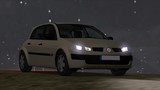
Mitsubishi Lancer Evolution X FQ-400 [Add-On | OIV | Tuning]
- CSQ574 x [YCA]-Y97Y
- cinqseptquatre.weebly.com
- 07/27/2017
- 20778 Downloads
Ratings:
Please sign in first.
Favorites:
Download
19.11Mb
19.11Mb
![Mitsubishi Lancer Evolution X FQ-400 [Add-On | OIV | Tuning]](/img/201707/b/1501137013_1501138381_mitsubishi-lancer-evolution-x-fq-400-add-on-oiv-tuning.jpg)
![Mitsubishi Lancer Evolution X FQ-400 [Add-On | OIV | Tuning]](/img/201707/b/1501137013_1501138381_mitsubishi-lancer-evolution-x-fq-400-add-on-oiv-tuning-0.jpg)
![Mitsubishi Lancer Evolution X FQ-400 [Add-On | OIV | Tuning]](/img/201707/b/1501137013_1501138381_mitsubishi-lancer-evolution-x-fq-400-add-on-oiv-tuning-1.jpg)
![Mitsubishi Lancer Evolution X FQ-400 [Add-On | OIV | Tuning]](/img/201707/b/1501137013_1501138381_mitsubishi-lancer-evolution-x-fq-400-add-on-oiv-tuning-2.jpg)
![Mitsubishi Lancer Evolution X FQ-400 [Add-On | OIV | Tuning]](/img/201707/b/1501137013_1501138381_mitsubishi-lancer-evolution-x-fq-400-add-on-oiv-tuning-3.jpg)
![Mitsubishi Lancer Evolution X FQ-400 [Add-On | OIV | Tuning]](/img/201707/b/1501137013_1501138381_mitsubishi-lancer-evolution-x-fq-400-add-on-oiv-tuning-4.jpg)
Videos


You need to be signed in to add videos to this mod.
Description
Mitsubishi Lancer Evolution X FQ-400
Mitsubishi Lancer Evolution X FQ-400 by [YCA]-Y97Y [Replace]
Important to know:
Because many people wanted this car as an Add-On. I thought I would satisfy them. The car was converted from Y97Y from the group YCA for GTA. I just made the Add-On version.
Information:
Edit & Convert: [YCA]-Y97Y
Add-On Maker: CSQ574
Screenshots: Martin_xpl
Features:
- OIV
- Working Speedometer
- Breakable Windows
- LHD
- 3D Engine
- Tuneable
Manual Installation:
1. Put the folder "LANEX400" in GTA V installation directory/mods/update/x64/dlcpacks
2. Open: OpenIV
3. Turn: Edit Mode
4. Navigate to mods/update/update.rpf/common/data
5. Extract the File "dlclist.xml"
6. Edit this File with an Notepad-Editor
7. Scroll down and add this Line
- dlcpacks:\LANEX400\
8. Replace this "dlclist.xml" with the "dlclist.xml" in the folder
OIV Installation:
1. Start OpenIV
2. Click on Tools
3. Click Package Installer
4. Search the OIV File in my Folder
5. Click on it
6. Click Install
7. Select "mods" folder
How to Spawn:
Mitsubishi Lancer Evolution X FQ-400 spawn by LANEX400
Changelog:
1.0: First release
Credits:
CSQ574
[YCA]-Y97Y
Mitsubishi Lancer Evolution X FQ-400 by [YCA]-Y97Y [Replace]
Important to know:
Because many people wanted this car as an Add-On. I thought I would satisfy them. The car was converted from Y97Y from the group YCA for GTA. I just made the Add-On version.
Information:
Edit & Convert: [YCA]-Y97Y
Add-On Maker: CSQ574
Screenshots: Martin_xpl
Features:
- OIV
- Working Speedometer
- Breakable Windows
- LHD
- 3D Engine
- Tuneable
Manual Installation:
1. Put the folder "LANEX400" in GTA V installation directory/mods/update/x64/dlcpacks
2. Open: OpenIV
3. Turn: Edit Mode
4. Navigate to mods/update/update.rpf/common/data
5. Extract the File "dlclist.xml"
6. Edit this File with an Notepad-Editor
7. Scroll down and add this Line
8. Replace this "dlclist.xml" with the "dlclist.xml" in the folder
OIV Installation:
1. Start OpenIV
2. Click on Tools
3. Click Package Installer
4. Search the OIV File in my Folder
5. Click on it
6. Click Install
7. Select "mods" folder
How to Spawn:
Mitsubishi Lancer Evolution X FQ-400 spawn by LANEX400
Changelog:
1.0: First release
Credits:
CSQ574
[YCA]-Y97Y
Comments
There are 5 comments posted yet.

 100001/0