GTA IV / Tools / Creating your own mods
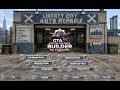
GTA IV Car Pack Builder for Fusion Fix
- hip63 | uploaded by hip63
- nexusmods.com/profile/hip63...
- 11/22/2026
- 55 Downloads
Ratings:
Please sign in first.
Favorites:
Videos
You need to be signed in to add videos to this mod.
Description
Build your car packs the easy way!
Ever spent hours building your own car pack, only to drop a wrench under the hood and break something? Ever stared at that wall of car data and thought, "What the hell is all this?" Well, your friendly neighborhood mechanics are here to help. Point the builder at your downloads, click Build, and drive.
Video: https://www.youtube.com/watch?v=HdiBvaE3BZM
What It Sets Up For You
- Reads each car's readme - its handling, colors, seat and camera offsets, engine sound and traffic lines, so you don't copy a thing by hand
- Models and textures - every car's files packed into one archive, so your game folder stays clean
- vehicles.ide - each car registered with the game
- handling.dat - each car's handling lines added
- carcols.dat - each car's paint colors
- vehOff.csv - each car's seat and camera offsets
- cargrp.dat - your cars added to the game's car groups, so they show up in traffic (a traffic mod helps them turn up more often). Cars with no traffic suggestion go to fitting parts of town by how upmarket they are, and it can make a Simple Traffic Loader file too
- Car names (GXT) - the in-game names written into all seven game languages, American included, so you see "Rocoto", not "CAR_NAME"
- Engine sounds - each car gets its own sound. Sound lines written for fastman92's Limit Adjuster go into the game's own sound list, so you don't need another limit adjuster just for car sounds
- Car limits - offers to turn on Fusion Fix's Extended Limits for you, so the game has room for the cars
And It Watches Your Back
- Checks every car before it builds - missing files and problems are caught before anything touches your game, in a plain-English report you can save
- Two versions of a car? You pick - rims, tires, liveries, Liberty plates or handling styles, it asks once and remembers
- Name clash? It offers to rename - two cars with the same name both make it in
- Backs up every game file it replaces - and Uninstall Car Pack takes it all out again
- Finds your game on its own - and checks for Fusion Fix while it's at it
- Your choice of output - install straight into the game, or build an OpenIV .oiv package
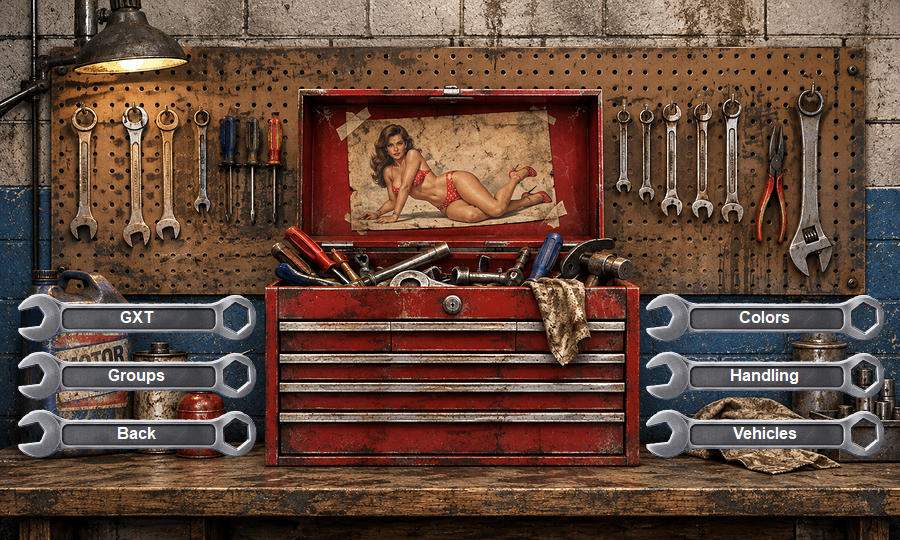
- GXT, Handling and Car Groups workbenches - for the tinkerers who want to fine-tune
What It Is
IV Car Pack Builder turns the add-on cars you downloaded into one car pack for GTA IV with Fusion Fix: models, textures, data lines (vehicles.ide, handling.dat, carcols.dat, vehOff.csv, cargrp.dat), car names in all seven game languages, and engine sounds - all in one go, and all in one archive.
No more hand-editing five data files. It checks every car before it builds, backs up every game file it replaces, and takes the pack out again when you're done with it.
What You Need
- Grand Theft Auto IV: The Complete Edition (tested on the Steam version, 1.2.0.59)
- Fusion Fix by ThirteenAG and contributors (tested with 5.1.2) - not included, install it first
- Raised car limits: turn on Fusion Fix's Extended Limits (the builder offers to do it for you)
- OpenIV - only if you choose the .oiv package output
- Windows 11 (tested). Windows 10 should work but hasn't been tested yet
- The cars you want, downloaded yourself from their authors
Installing the Builder
Close GTA IV, run the installer, and pick a folder you own, like the one it suggests, C:\Games\IV Car Pack Builder.
Please don't install it in Program Files - the builder saves its settings, reports and backups next to itself, and Windows blocks that there.
Quick Start
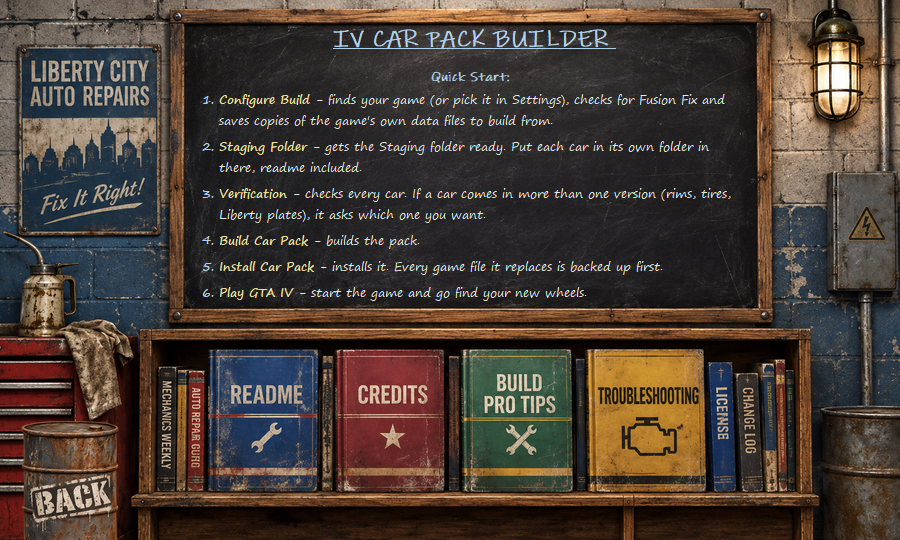
- Configure Build - finds your game, checks for Fusion Fix and saves copies of the game's own data files to build from. If your car limits or vehicle budget aren't raised yet, it offers to do it for you.
- Staging Folder - gets the Staging folder ready. Put each car in its own folder in there, readme included.
- Verification - checks every car. If a car comes in more than one version (rims, tires, liveries, Liberty plates, handling styles), it asks which one you want.
- Build Car Pack - builds the pack and opens its folder.
- Install Car Pack - installs it. Every game file it replaces is backed up first.
- Play GTA IV - start the game and go find your new wheels.
After each step, Export saves a full report you can read at your own pace - handy with big packs. WARN means check this. STOP means fix this first.
Finding Your Game
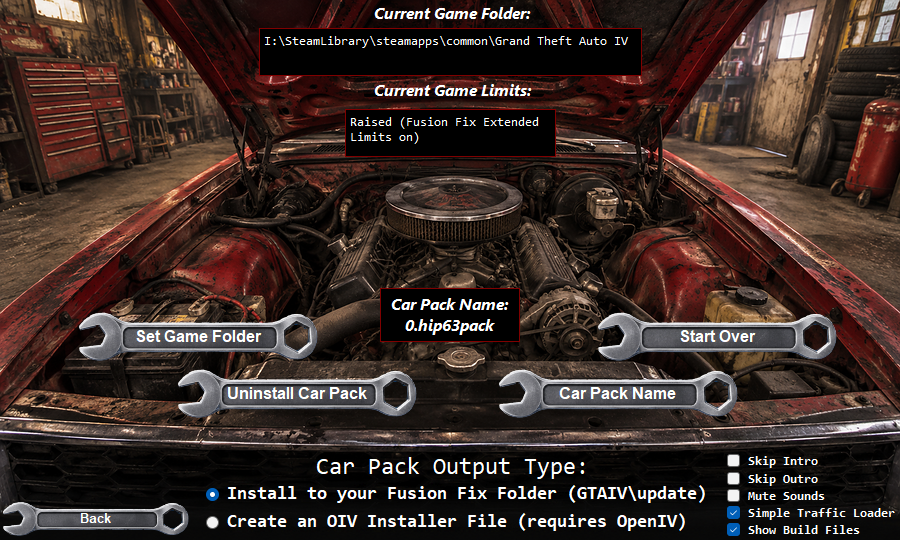
Steam copies are found automatically. Rockstar Launcher detection is experimental (it reads the game's own registry entry). Feedback is appreciated! If your copy isn't found, or the builder found the wrong one, use Set Game Folder and pick the folder with GTAIV.exe in it (or the folder above it). Downgrades and other copies are always picked by hand.
Is Your Car Pack-ready?
Before a car goes in Staging, it needs:
- Model files - a properly named .wft and its .wtd (GTA IV files - not GTA V's .yft / .ytd). Option folders (wheels, tires, liveries) with the same file names are fine - Verify asks which one to use.
- A vehicles.ide line - complete, starting with the car's own name.
- A carcols line - every car needs one for its paint.
- A handling line - its own, a stock car's, or another car's in the same pack. A car can borrow a handling line, but it can't skip one.
Nice to have: vehOff lines (camera and seats) and sound lines. The builder checks all of this, but it doesn't repair half-finished lines - that wrench is yours to turn.
Shop Examples(made-up cars, real situations)
- Bravado Thunderbolt - ready to go. thunderbolt.wft and thunderbolt.wtd, and a readme with its own vehicles.ide line (starting with thunderbolt), its own handling line and its own carcols line. Verify says OK - drop it in and build.
- Karin Kestrel - ready, with options. "Stock wheels" and "Racing wheels" folders, each holding kestrel.wft and kestrel.wtd. Verify asks which one you want and remembers your pick.
- Vapid Prowler - fixable. It ships prowler-17in.wft and prowler-18in.wft in one folder, but its vehicles.ide line asks for prowler.wft. Put each in its own folder renamed to prowler.wft, or keep just the one you want.
- Dinka Zephyr - fixable. Its readme's vehicles.ide line starts in the middle (", COQUETTE, VEH@STD, ..."). The builder can't guess the missing part: write the full line, starting with zephyr, in a .txt in its folder, then Verify again.
- No handling line - not ready. Its vehicles.ide line names a handling line that isn't in its readme, the game or the pack, so Verify stops on it. Add the car's handling line, or point its vehicles.ide line at one that exists (a stock car's is fine).
- A replacer - if its readme says "rename the files to the car you want to replace", it's a replacer, not an add-on. The builder adds cars, so it needs the car's own full lines.
What It Doesn't Do
The builder packs the car: model, textures and data lines. Anything else a car comes with - carmods files, Extra Moving Parts files, spawn points (.wpl), scripts, plugins (.asi, .dll) - you install by hand, the way its readme says. Keep those extras out of Staging: the builder reads every text file in a car's folder looking for data lines.
It doesn't download cars either. Get them from their authors and respect each author's terms.
Build Pro Tips
Keep Cars LightWhat counts is the memory a car uses in the game, not its size on disk. A typical car from the original game uses about 2 MB; the biggest one uses 3.3 MB. Aim for about 2.5 MB. Verify warns you when a car uses more than 3.5 MB, and tells you when it's the textures.
Heavy CarsIn our tests, very heavy add-ons (one used 50 MB of memory) rarely or never showed up in traffic, and loading one pushed other cars out of memory. If you love a heavy car, keep it - just expect fewer different cars around it.
Rules of the Road- Raise the limits - turn on Fusion Fix's Extended Limits. Configure offers to do it.
- Give cars memory - SISCO 1.0.8 or higher (by ChunkLeChuck) is recommended, or let Configure set Fusion Fix's vehicle budget to 200 MB.
- Pick efficient cars - heavy models crowd out the others.
- One traffic loader at most - Simple Traffic Loader is optional, and helps big packs show more variety. The builder can make its file for you.
- Want your pack to win? - mod folders in Fusion Fix's update folder load in name order, and the top one wins. Start your pack's name with a number to put it first.
- Back up your saves - and uninstall through the builder.
Only pick plate versions of cars if you have Liberty City Plates installed. The builder filters them for you and stops you if you pick wrong. Cars without a plates version still work fine - they just keep the plate their author gave them instead of the changing Liberty City ones.
Using T.A.C.E.?Install it before you run Configure, so the builder saves the game files with T.A.C.E. in them. If you also use Liberty City Plates, use its T.A.C.E. compatibility files.
TrafficA traffic group holds up to 35 cars. Past that, put the car in another group or keep it out of traffic (it still spawns and works everywhere else).
Same Name as Another Car?If a car has the same model name as one you already have, Verify offers a new name for it (prowler becomes prowler2, say). The new name is only used inside your pack - your download stays as it is.
Two Readmes?English and Russian copies, say? Fine if they match. If Verify says they differ, delete the one you don't want.
One ArchiveThe whole pack goes in one archive, no matter how many cars - kind to GTA IV's image limit. Every build writes it fresh and packed, so there's nothing to defragment.
Adding More Cars LaterA pack can't be added to - it's rebuilt as a whole. Leave the cars you have in Staging, drop the new ones in next to them, then Verify, Build and Install. Install takes the old pack out first by itself.
Sharing a Pack?Include each car's readme, and credit the authors. The builder only puts the cars together - each car still belongs to whoever made it.
Settings
- Set Game Folder - see Finding Your Game above.
- Car Pack Name - letters, numbers, spaces, dots, - and _ are kept as they are; anything else becomes _ in the folder name. Don't rename the pack's folder by hand - Uninstall looks for it by that name.
- Uninstall Car Pack - takes the pack out and puts your original files back.
- Start Over - clears the builder's files for a new pack. If a pack is still installed, it offers to uninstall it first. Your settings stay; your cars only go if you say so.
- Skip Intro, Skip Outro, Mute Sounds - for when you've heard the garage door enough times.
- Simple Traffic Loader - after a build, asks whether to also make a traffic file for Simple Traffic Loader 2.0.1.
- Show Build Files - after a build, opens the folder with your finished pack.
Installing with OpenIV (.oiv)
Pick the .oiv output if you'd rather install with OpenIV's Package Installer, or to share a pack with OpenIV users. The package comes with a "READ ME FIRST" file next to it. OpenIV can't uninstall packages, so back up your GTAIV\update folder before installing - or use the builder's own Install and Uninstall, the easy way.
Troubleshooting
"My Antivirus Flagged It"Malwarebytes flagged the launcher as "Malware.Ransom.Agent.Generic" during testing. It watches for programs that write lots of files quickly, and building and installing a pack does exactly that. We reported it, and Malwarebytes staff confirmed it as a false positive and said they would remove the block: Malwarebytes forum topic. On one of our test PCs, Windows Defender also flagged the installer with a machine-learning guess ("Bearfoos.A!ml"); on another it installed without a word. Both release files were scanned on VirusTotal, and you can check the scans yourself:
- Launcher (IVCPB.exe): VirusTotal scan - SHA-256 19625800ddbb1bf46f0ee7a46f3961bed2c985995a584a0d4b292493c3e91f42
- Installer: VirusTotal scan - SHA-256 e00e9519819de38c95de165de4c78d137c5881df965f9633c5d72ef7f96128ef
If your antivirus flags it, restore the file and add your IV Car Pack Builder folder as an exception.
"Fusion Fix Not Found"Install Fusion Fix into the folder with GTAIV.exe, then run Configure Build again. The pack loads through Fusion Fix, so the game won't see the cars without it.
"Game Not Found"Use Set Game Folder and pick the folder with GTAIV.exe in it (or the folder above it).
Verify Stops on a CarRead the STOP line - it says which car and why (a missing model, a missing handling line, a Liberty plates version without the plates mod). Fix that car's folder, then Verify again. A name clash with a car you already have? Verify offers a new name for it - say yes, and it's renamed inside your pack only.
A Car Looks Blank or PurpleIt has no carcols line. Add the car's carcols line to a text file in its folder, then Verify and Build again.
A Car Doesn't Show Up in the Game- Did Install finish with OK?
- Is Fusion Fix installed and up to date?
- Is it a heavy car? Verify's WARN says so. Heavy cars rarely show up in traffic.
- Check the car's readme for extras it needs (a script or plugin) - the builder doesn't install those.
Odd objects in odd places, or crashes on loading, after you changed or removed your car pack? Your save was made with the old pack. Load a save made before the change, or start a new game. Back up your saves before you change a pack.
"Too Many Images" / 255 Image LimitGTA IV can only load so many archives. The game itself uses about 136, and every other mod adds more. Your car pack only ever adds one - look at your other mods.
The Game Crashes with the PackUninstall Car Pack (Settings) puts your original files back. Then build a smaller pack - big, heavy cars are the usual suspects.
Still Stuck?Export the log and post it with your question in the comments.
IV Car Pack Builder is free. Official downloads: Nexus Mods, GTAInside and ModDB (hip63). Copies on other sites may be out of date. Not made by, affiliated with or endorsed by Rockstar Games, Take-Two Interactive or the Fusion Fix team. The builder ships no game files: everything it needs is read from your own copy of the game. Keep your own backups - the user accepts all liability.
Comments
There are 0 comments posted yet.